View Drawing Area (Android)
Things to Consider
Required User Permissions:
'Read Only' or higher permissions on the project's Drawings tool.
In order to see the Areas button, you will need to have 'Drawings by Area' configured on your Procore account. See Enable or Disable Drawing Areas and Add Drawing Area.
Dieses Asset oder Element kann im Offline-Modus angezeigt oder bearbeitet werden, wenn es zuvor auf Ihrem Mobilgerät angezeigt und zwischengespeichert wurde. Aufgaben, die im Offline-Modus ausgeführt werden, werden mit Procore synchronisiert, sobald eine Netzwerkverbindung wiederhergestellt ist.
Steps
Navigate to the project's Drawings tool using the Procore app on an Android mobile device.
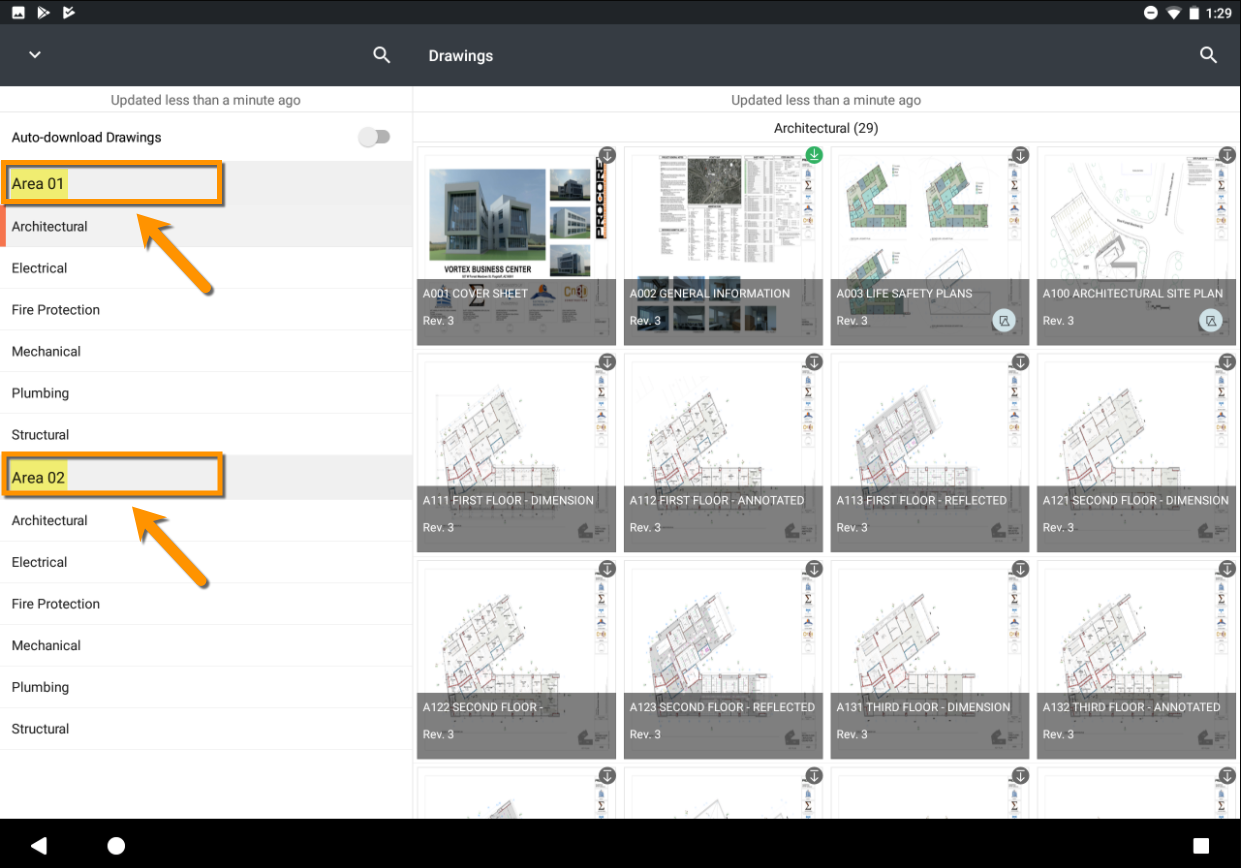
Tap to select a drawing area from the left pane.
Note: This action will show only drawings associated with the selected area.
See Also
Loading related articles...