View App Management Metrics in a Project
Background
As a project user, you can view App Management Metrics for a given App within a project. The data presented are scoped to the current project.
Things to Consider
Required User Permissions:
'Read-only' or higher on the Portfolio tool.
For information about an app's usage, see 'App Activity' in Procore's 360 Reporting tool.
Steps
Navigate to the project you want to view App Management Metrics in.
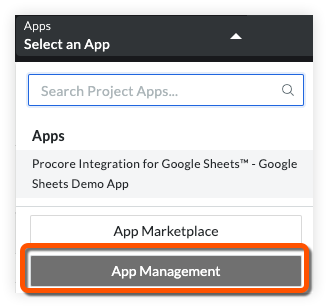
In the top navigation bar, open the Apps dropdown menu and click App Management.
Locate the App you want to view App Management Metrics for and click its View button.

Click the App Info tab.
General information about the App is presented. See View Information about an Installed App for more information.
See Also
Loading related articles...