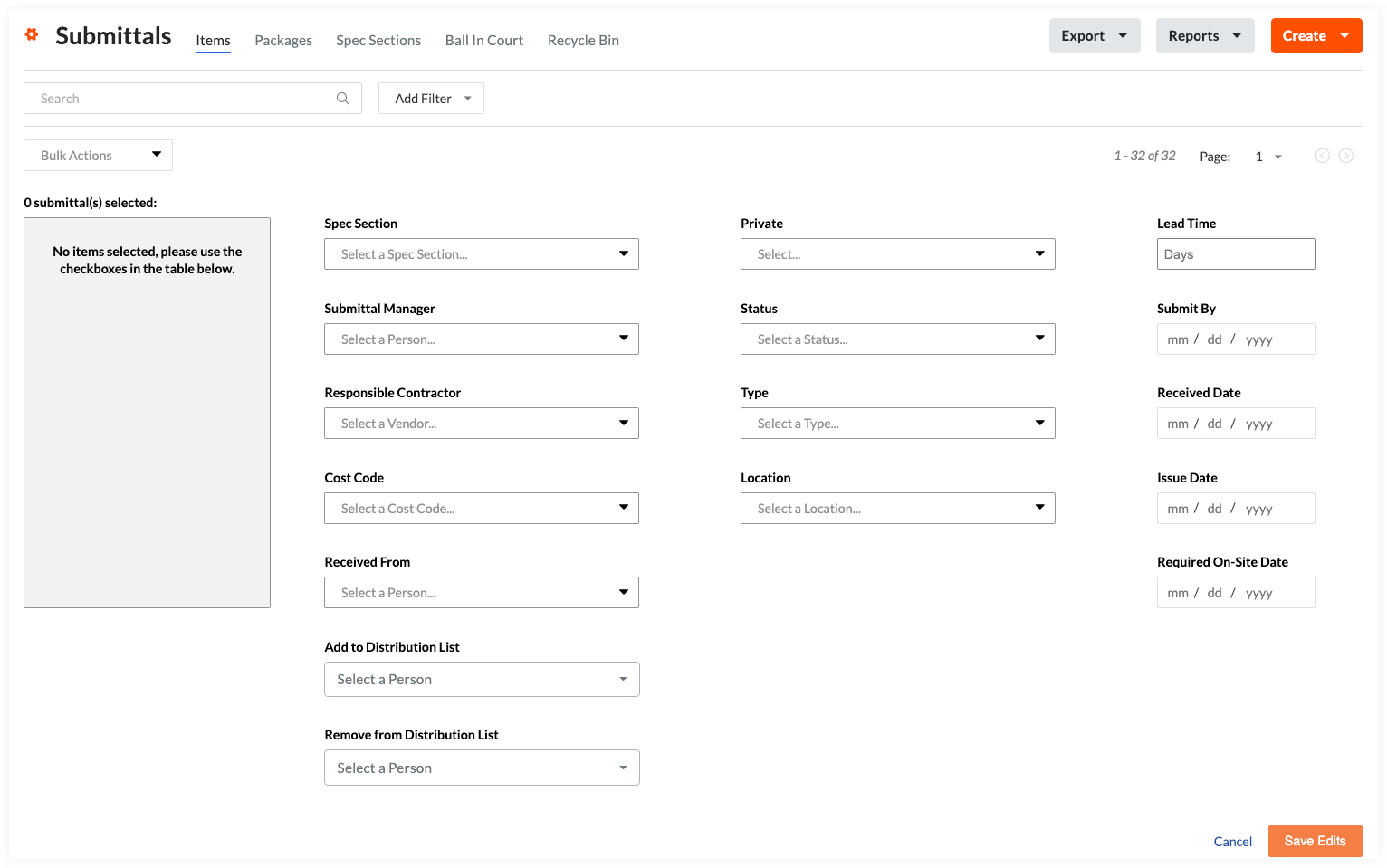
Use Bulk Actions > Edit in the Submittals Tool
Background
Use the Bulk Actions > Edit option when you want to apply the same edits on multiple submittals.
Things to Consider
Required User Permissions:
'Admin' level permissions to the project's Submittals tool.
Supported Views:
The Bulk Actions menu is supported in the Submittals tool's Items, Packages, Spec Sections, and Ball In Court views. See Switch Between Submittals Views.
The Bulk Actions menu is dimmed and unavailable in the Recycle Bin view.
Additional Information:
Automatic email notifications are not sent for submittal updates made using Bulk Actions. To learn more about automatic email notifications for the project's Submittals tool, see Who receives an email when a submittal is created or updated?
To bulk edit submittals contained in a single submittal package, follow the steps in Bulk Edit Submittals in a Package.
Modernized Submittals List View: Early Access
Procore is rolling out a modernized list view for the Submittals tool. If you have enabled the Modernized List View toggle in your Submittals log:
Reviewing workflows, bulk editing fields, filtering, and table layouts may differ from the legacy steps below.
For step-by-step instructions on navigating, filtering, and performing bulk actions in the modern view, see About the Modernized Submittals List View.