Allow Users To Delete Published Markups
Background
By default, users with 'Standard' level permissions do not have the ability to delete markups on the 'Published' layer in drawings (see What is the difference between personal and published drawing markups?). However, you can override this default setting if you would like to give your 'Standard' level users more control over the drawing markups.
Things to Consider
Required User Permissions:
'Admin' on the project's Drawings tool.
Additional Information:
After the setting is enabled, users with 'Standard' level permission will be able to delete ANY published markups for drawings in the project (whether they created them or not).
Steps
Navigate to the project's Drawings tool.
Click the Configure settings
 icon.
icon.Mark the checkbox next to 'Allow standard level users to delete published markup'.
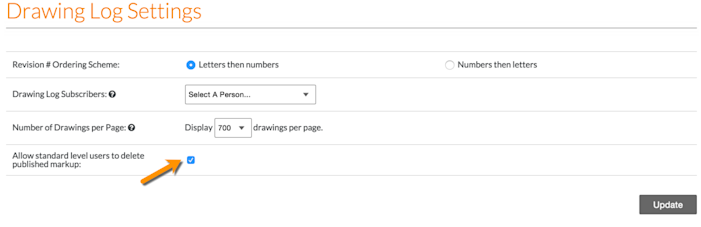
Click Update.
Next Steps
See Also
Loading related articles...