Add Cover and Appendix Pages to a Bid in Procore Estimating
Background
You can choose to add cover and appendix pages to bids in Procore Estimating. After selecting an attached PDF file for the cover and appendix sections, the pages will be included at the beginning of a bid export.
Things to Consider
Required User Permissions:
'Estimator' user role or higher. See What are the different 'user roles' in Procore Estimating?
Additional Information:
Cover pages must be uploaded to the Cover Pages section of Company Settings in your Estimating account prior to attaching them to a bid export.
Steps
Navigate to your account in Procore Estimating (estimating.procore.com).
Click the Estimating tab.
Open the bid you want to add a cover or appendix page to.
Click Show Bid.
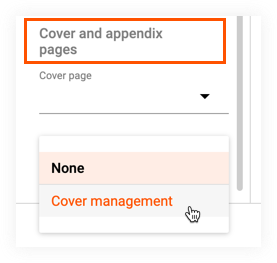
Scroll to the bottom of the sidebar and click the Cover page or Appendix page drop-down menu.
Click Cover management.
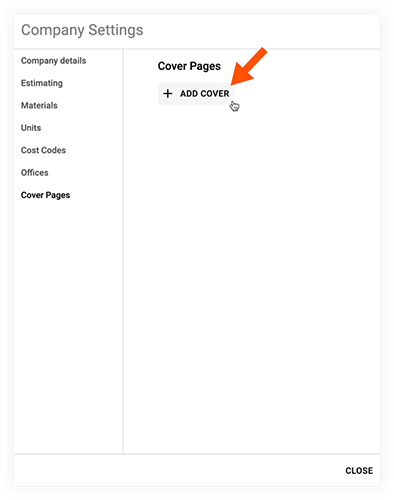
On the Company Settings window, click Add Cover.
Select a PDF file from your computer or drive.
Click Upload.
Click Close.
Click the Cover page or Appendix page drop-down menu.
Select the cover or appendix file that you previously uploaded.
When you export the bid, the PDF cover or appendix page is automatically added to the beginning of the bid export.
See Also
Loading related articles...