Enable the DocuSign® Integration on Your Company's Procore Account
Background
The DocuSign® integration for Commitment Potential Change Orders (PCOs) beta is available for Procore customers and can be accessed through Procore Explore.
If your company wants your project team to use the Procore + DocuSign® integration to request electronic signatures, complete these steps:
Enable the DocuSign® Integration at the Company Level. Your company's Procore Administrator can use the steps below.
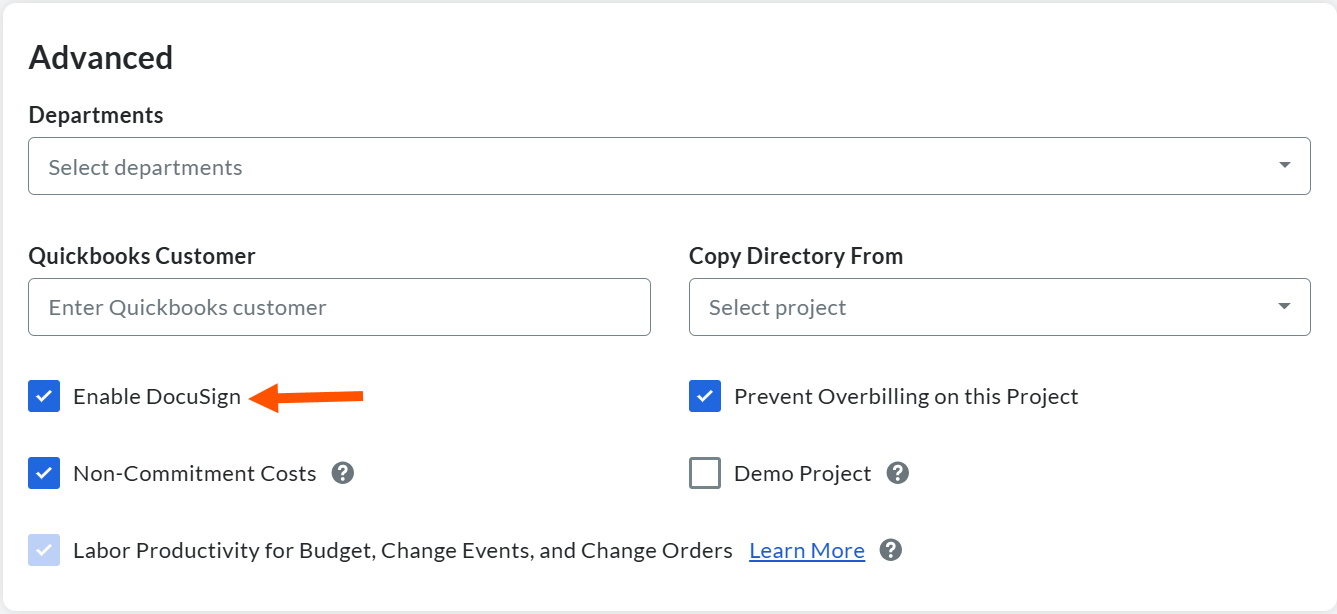
Enable the DocuSign® Integration on Your Company's Projects. When you enable the integration on the Company level, Procore also automatically enables it on your new and existing projects. If your team is creating Procore projects using a Procore Project Template where the DocuSign® integration has NOT been enabled, Procore recommends that a user with the required users permissions do the following:
Enable the DocuSign® integration on your existing projects that were based on a template. See Enable or Disable the DocuSign® Integration on a Procore Project.
Update your existing project templates to ensure that the DocuSign® is turned ON in future projects created with your template(s). See Edit a Project Template.
TipDon't want to use the DocuSign® integration on a new Procore project? After the DocuSign® integration is enabled in Procore's Company Admin tool, you must manually disable it on any new project where you do not want to use it. See Enable or Disable the DocuSign® Integration on a Procore Project.