Enable Retainage on a Purchase Order or Subcontract
Background
Depending upon the accounting method set on a purchase order or subcontract, you can enable one or both retainage settings on the contract. To learn about setting the accounting method, see How do I set the accounting method for a contract or funding?
Accounting Method | Accounting Method | ||
|---|---|---|---|
Retainage Type | Definition | Amount Based | Unit/Quantity Based |
Completed Work Retainage | An agreed-upon percentage amount on a contract is withheld from a subcontractor to ensure the work is satisfactorily complete on the project. |
|
|
Stored Material Retainage | An agreed-upon percentage amount allocated on a contract for stored materials to ensure sufficient materials are available to complete work. |
|
|

Things to Consider
Required User Permissions:
To enable retainage on a purchase order or subcontract:
'Admin' level permissions on the project's Commitments tool.
OR'Read Only' or 'Standard' level permissions on the project's Commitments tool with the 'Create Work Order Contract', 'Create Purchase Order Contract', 'Update Work Order Contract', and/or 'Update Purchase Order Contract' granular permissions enabled on your permission template.
Additional Information:
To enable these settings on all of a project's new commitments, see Configure Settings: Commitments.
To apply sliding scale retention to the commitment's invoices, see Enable Sliding Scale Retention Rules on a Commitment's Invoices.
Prerequisites
Create a Commitment
Set the contract's accounting method. See How do I set the accounting method for a contract?
Steps
Navigate to the project's Commitments tool.
Click the Contracts tab.
Locate the commitment to work with.
Click the Number link to open the commitment.
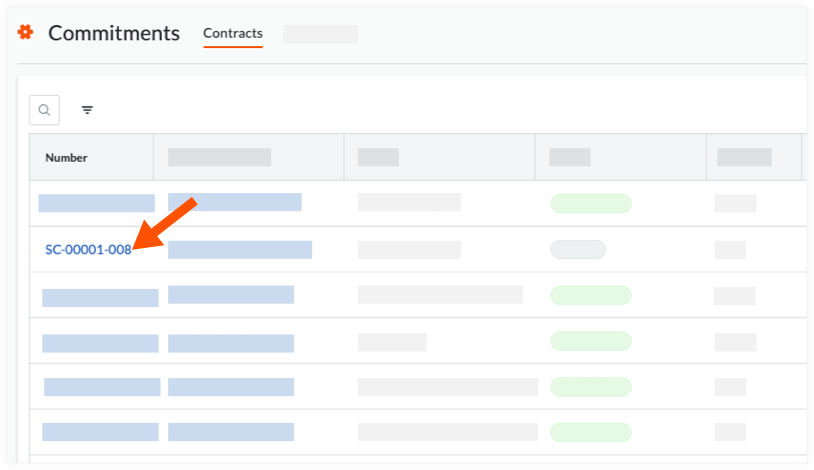
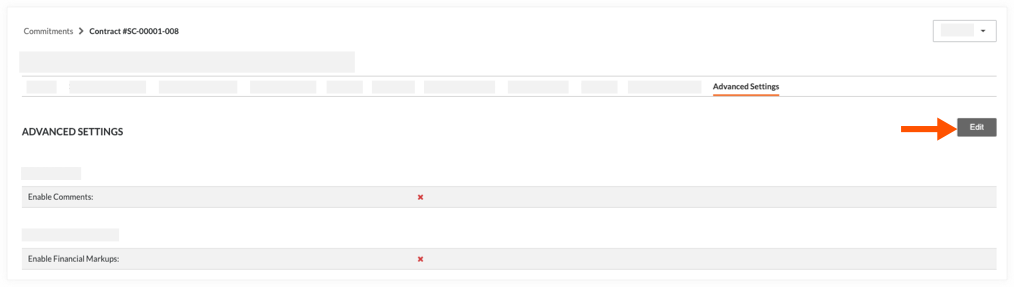
Click the Advanced Settings tab.
Click Edit.
Scroll to the Invoice section and choose the options that correspond to the contract's accounting method (see How do I set the accounting method for a contract?):
For contract's using the Unit/Quantity Based accounting method:
Place a mark in the Enable Completed Work Retainage checkbox. Contracts using the Unit/Quantity Based accounting method can only be used to bill for completed work. This method cannot be used to bill for stored materials.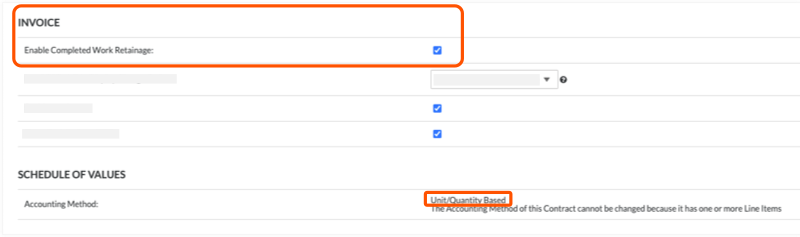
ORFor contract's using the Amount-Based accounting method:
Place a mark in one or both checkboxes: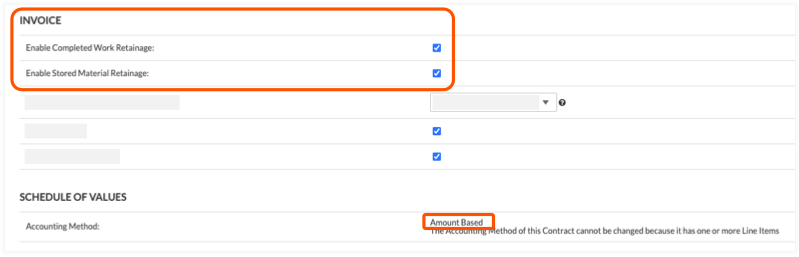
Enable Completed Work Retainage. Mark this checkbox to enable retainage for completed work. To learn more, see Set or Release Retainage on a Subcontractor Invoice.
AND/OREnable Stored Material Retainage. Mark this checkbox to enable retainage when billing for stored materials. To learn more, see About Stored Materials on Invoices.
Click Save.
See Also
Loading related articles...