Delete an Inspection Type
Things to Consider
Required User Permissions:
'Admin' level permissions on the Company level Inspections tool.
Additional Information:
An inspection type can not be deleted if it is tied to any of the following: a company template, project template, or inspection.
You will be able to delete an inspection type if it is only associated with a template in the recycle bin. See What is Procore's Recycle Bin?
Prerequisites
Steps
Navigate to the Company level Inspections tool.
Click the Configure Settings
 icon.
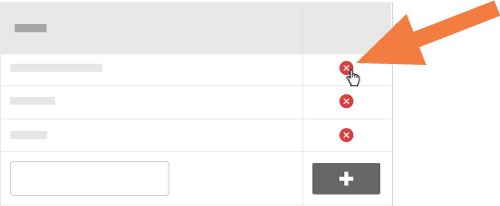
icon.Click the red X next to the inspection type you would like to delete.
See Also
Loading related articles...