About subcontractor payment applications (legacy)
Legacy Content
This page details the legacy subcontractor payment application experience. A modernised experience is also available.
In Procore, a subcontractor payment application originates in the Project commitment tool. Before you can create a payment application, your project team must create a commitment for the project, establish a valuation period and decide which internal users and/or external collaborators will be granted permission to submit new payment applications.
A subcontractor payment application is a request for payment submitted by a business or individual who has entered into a binding agreement with another contracting party. In Procore, a subcontractor payment application is an equivalent term for a payable payment application.
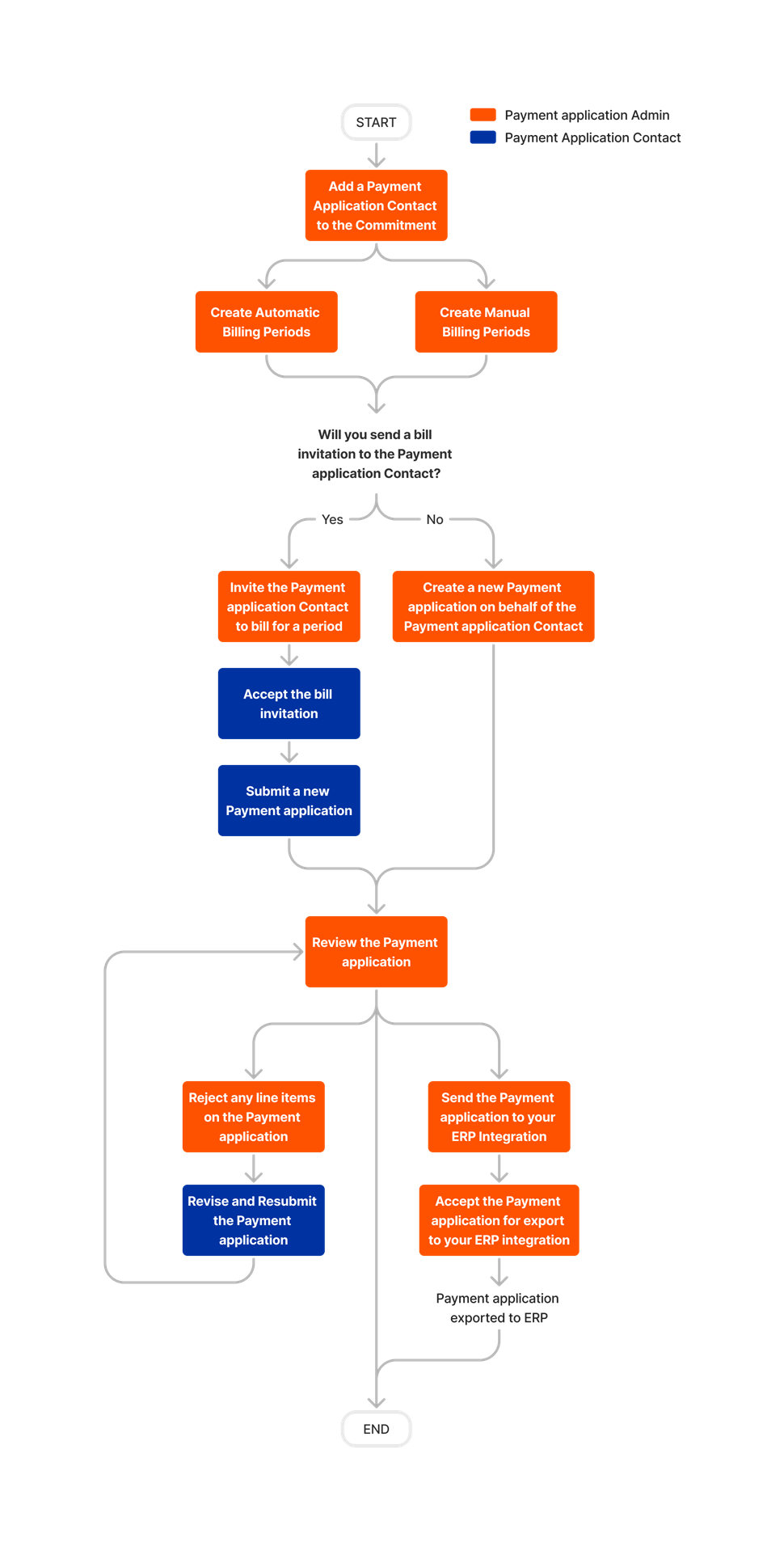
Configure the advanced workflow in the commitments tool to set up monthly valuation periods and billing dates. You can also enable reminder email for payment application invitations. See Configure advanced settings: Commitments
Create a billing distribution for payment applications for each commitment so you can select who you want to receive payment application invitations. See Create payment application contacts.
Create a valuation period to send payment applications out for. See Start a new valuation period.
Send payment application invitations to the billing distribution. See Send subcontractor payment application invitations.
Subcontractors who were invited to create payment applications can do so by clicking the link in their invitation email. To edit their payment application or create on their behalf, see Create a payment application on behalf of a subcontractor.
Note: For users with the Procore + QuickBooks® desktop integration, you can also export subcontractor payment applications. See Export subcontractor payment applications from Procore to QuickBooks® desktop.
Loading related articles...