Send a variation to the change event tool
Background
After you have created a variation in the Estimating tool, you can use the 'Create a new change event' or 'Update existing change event' options to copy and export line items from that variation into the project's change event tool. The cost codes and amounts on the estimate will also be updated on the project's Budget.
Things to Consider
Your company must be licenced for Procore's Project Financials tools.
The change event tool must be turned ON in your project.
Steps
The segments and item that you can select on your Procore project are unique to your project's specific WBS. Contact your company's Procore administrator if you require assistance with creating a budget code for your environment.
Navigate to the project's Estimating tool.
Click the Estimating tab.
Select the variation.
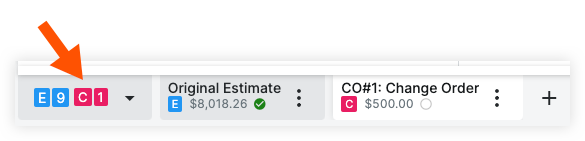
Click the Actions menu and select one of the following options:
Create change event
Enter a title and description for the new change event.
Update any settings as needed.
Send cost only: In this case only cost will be sent and your cost rough order of magnitude and revenue rough order of magnitude will be the same.
Send the entire estimate including additional adjustments: In this case, cost and adjustments are sent to the change event tool. Your cost rough order of magnitude and revenue rough order of magnitude may differ as revenue rough order of magnitude includes cost with adjustments.
Profit, Overhead, Discount, Taxes, Others: Select spread across estimate item or summarise into specific budget code. See How do budget code in an estimate create line item in a Budget?
If summarising into a specific budget code, click Select or the current selection to configure the cost code and cost type for each. Then click Save changes.
Optional: Select 'Manage' to make changes to the WBS segments and budget code structure.
Update existing change event
Select the existing change event you are update from the change event dropdown menu.
Update any settings as needed.
Send Cost only: In this case only cost will be sent and your cost rough order of magnitude and revenue rough order of magnitude will be the same.
Send the entire estimate including additional adjustments: In this case, cost and adjustments are sent to the change event tool. Your cost rough order of magnitude and revenue rough order of magnitude may differ as revenue rough order of magnitude includes cost with adjustments.
Profit, Overhead, Discount, Taxes, Others: Select spread across estimate item or summarise into specific budget code. See How do budget code in an estimate create line item in a Budget?
If summarising into a specific budget code, click Select or the current selection to configure the cost code and cost type for each. Then click Save changes.
Optional: Select 'Manage' to make changes to the WBS segments and budget code structure.
Click Send to change event.
