Export the subcontractor Payment Applications page
Background
The 'Subcontractor' tab in the project's Payment Applications tool displays all of your project's billing. You can generate a PDF copy of this list using the export steps described below.
Things to Consider
Required User Permissions:
You must be a payment application administrator.
Prerequisites
Steps
Navigate to the project's Payment Applications tool.
Click the Subcontractor tab.
Click the Export button and choose the PDF option.
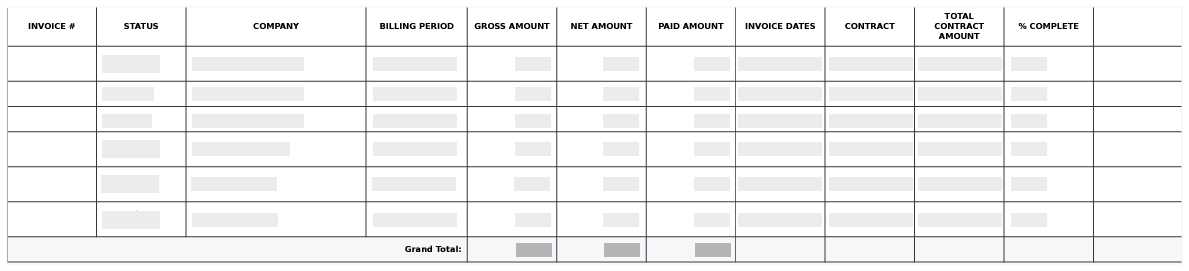
NotesProcore generates a PDF that includes the table contents and opens it in a separate browser window.
Any grouping, filtering and search filters applied to the billing on the Subcontractor tab are reflected in the PDF.
Example
The illustration below shows you an example of the PDF export.