View locations on Drawings (Android)
Limited release
This experience is available in Australia, Canada, Ireland, United Kingdom, United States and New Zealand.
Navigate to the project's location tool using the Procore Android application.
Tap a location.
Tap Open drawing to see all location in relation to the drawing from which they were generated.
To see a specific location on the drawing, swipe the location cards left or right.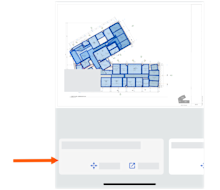
On the location card, tap Locate  to centre the location on the drawing.
Loading related articles...