Disable disbursements

 General availability in select markets (United States)

Flag Us Procore Pay is available in the United States. It is designed for main contractors and owner-builders who act as their own main contractors on a job. Procore Pay extends the payment application management functionality in the Procore web application to handle the payment process between main and specialty contractors.

Background

Only a can disable the disbursements feature in your company's Procore account. Once disabled, payment disbursers can no longer create new disbursements in the Company level payment tool. Procore Pay continues to process any existing disbursements and payment application payment that are in progress.

Things to Consider

Prerequisites

Steps

  1. Navigate to the Company level Payment tool.

  2. Click the Configure Settings Icons Settings Gear icon.

  3. Click the Payment processing tab.

  4. Click Advanced settings.

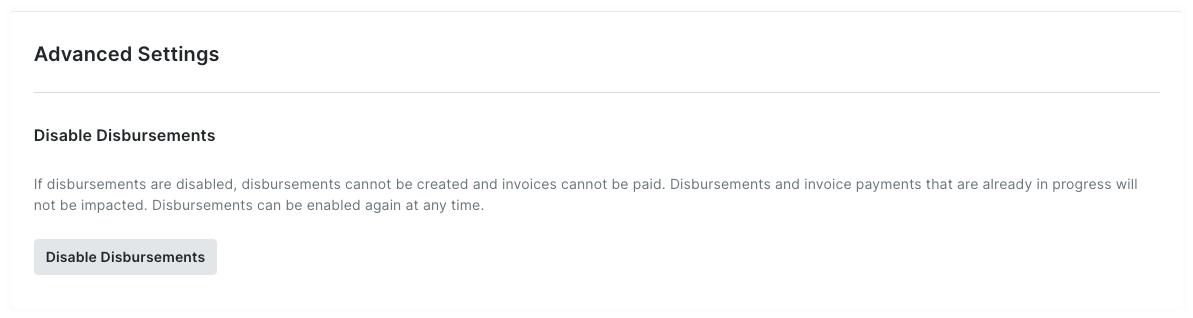
  5. On the Advanced settings page, review the informational statement under Disable disbursements.
    Advanced Settings Disable Disbursements

  6. Click Disable disbursements.
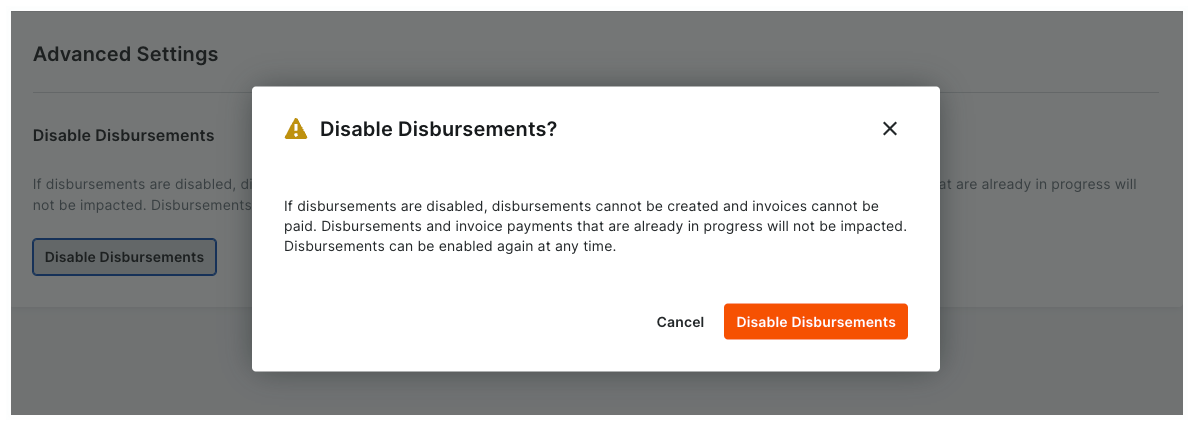
    The following confirmation prompt appears. When disabled, Procore Pay turns the disbursements features off and invite banners no longer display in the Commitments or Payment Applications tool. Confirm Disable Disbursements

  7. Confirm that you want to disable disbursements by clicking the Disable disbursements button.
    Once disabled:

    • A GREEN success banner appears to confirm your action.

    • A YELLOW banner appears at the top of the page to alert payment admins that the feature is turned OFF.

    • Your company's payment disbursers can no longer create new disbursements in the Company level payment tool.

    • Procore Pay continues to process any existing disbursements and payment application payment that are in progress.

See Also

Loading related articles...