Update the percent complete for a programme task (iOS)
Things to Consider
Required User Permissions:
You need one of the following:
'Admin' level permission on the Project level programme tool.
'Read Only' or 'Standard' level permissions with the 'Update task completion percentages' granular permission enabled on the permission template.
Additional Information:
Updating the percent complete on mobile does not update the percent complete in the native programme file. See How do I get the percent complete updated in the native programme file?
Percent complete cannot be updated for summary programme tasks or milestones.
Percent complete for calendar items cannot be updated in the mobile application
Prerequisites
The setting for updating programme tasks must be enabled on the Programme tool's Configure settings page. See How do I allow users to update the 'Percent complete' field in the Programme tool?.
Steps
Navigate to the Project Programme tool using an iOS mobile device.
Tap the programme task you want to update.
Tap Edit.
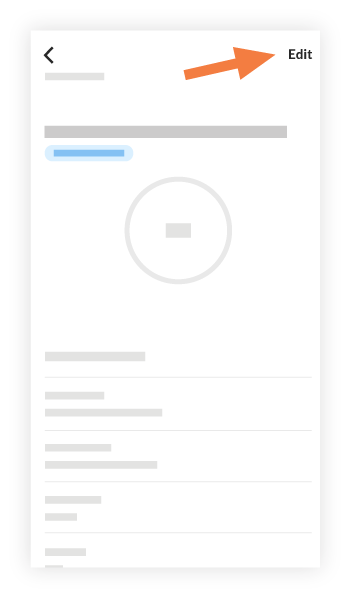
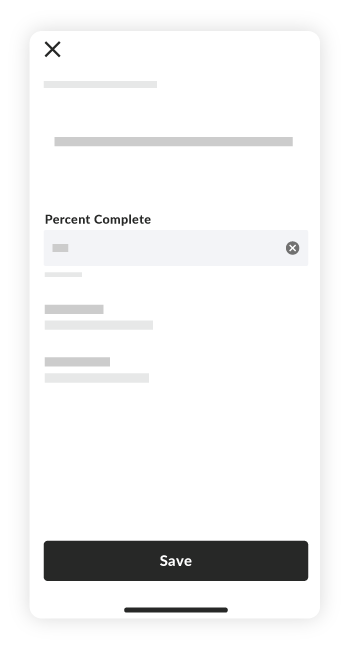
Note: Percent complete cannot be updated for summary programme tasks or milestones.Enter the current percent complete for the task and tap Done.
Note: You can enter a numeric value from 0 to 100. The value enter must be a whole number.Tap Save.
The programme task on the mobile device update to show the amount you entered for percent complete.
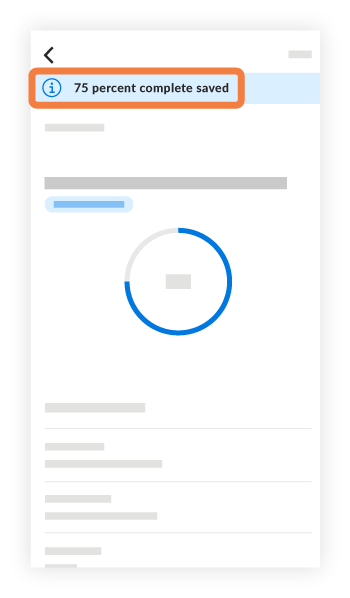
Note: These changes are also shown in the Programme tool on the web application.
See Also
Loading related articles...