How do I resolve errors when opening a model in the Procore BIM Plugin for Autodesk®?
Background
When opening a model using the Procore BIM Plugin, users sometimes receive an error saying that a file cannot be opened because it's corrupt or unavailable.
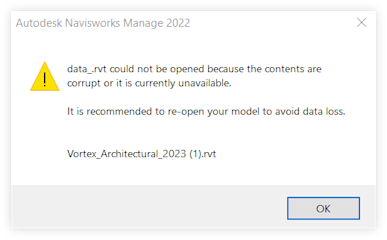
This error typically occurs for one of the following reasons:
The Navisworks® version that you are using may not have the necessary updates to properly interpret the files.
You may be attempting to open a file created in a newer version of Revit® using an older version of Navisworks®.
Answer
Depending on the issue, make one of the following updates and try again.
Update your version of Navisworks® to the latest version.
Ensure all recent updates are installed for the latest version of Navisworks®.
See Also
Loading related articles...