Why aren't my Navisworks® Appearance Profiler settings displaying in my Procore model?
Background
You have set up appearance profiles for your model in the Appearance Profiler in Navisworks® but are not seeing these settings applied to the model.
Answer
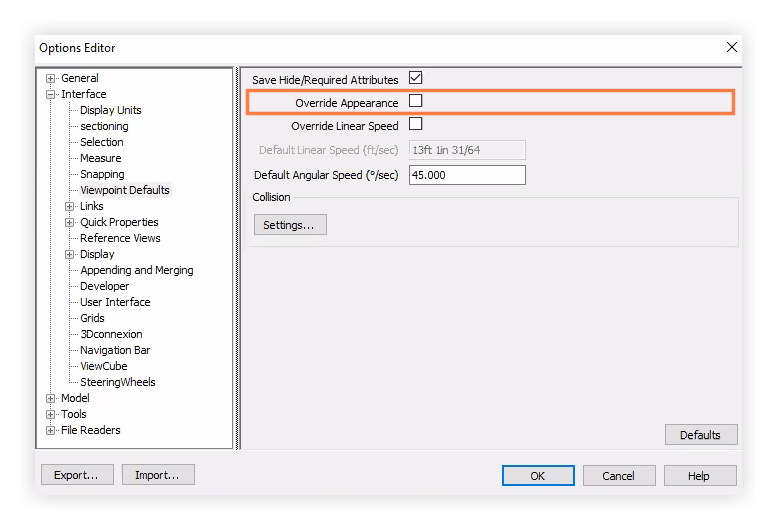
If your model is not respecting the Appearance Profiler settings, it is most likely that a setting is enabled in Navisworks® that overrides appearance settings. In order to see the Appearance Profiler settings applied to the model, the setting for "Override Appearance" must be turned off.
This setting is located under the Options Editor menu (expand Interface and click Viewpoint Defaults).
See Also
Loading related articles...