Cambiar la etapa de construcción de un proyecto
Fondo
Cambiar su etapa de construcción es importante para sus registros y organización, y habilita ciertas funciones en Procore.
Things to Consider
Required User Permissions:
'Admin' level permissions on the Project level Admin tool.
OR'Read Only' or 'Standard' level permissions on the Project level Admin tool with the 'Update General Settings' granular permission enabled on your permissions template.
Additional Information:
Users with the appropriate permissions can also create custom project stages in the Company level Admin tool. See Add a Custom Project Stage.
The Custom Project Stages that you create can be used for RFI prefix numbering. For details, see How do I configure a prefix and starting number for a project's RFIs?
Projects can be created with only the Name field populated (depending on how the company configured its fieldsets), so consider project readiness before moving it to the next stage.
Steps
Navigate to the Project level Admin tool.
Under 'Project Settings' in the sidebar, click General.
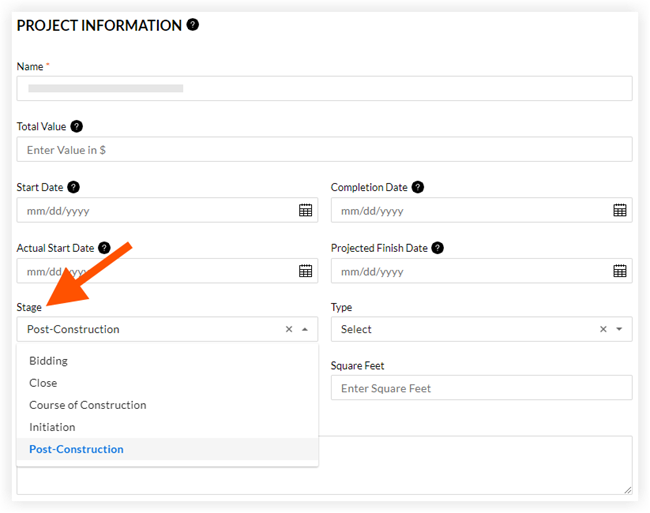
Under 'General Project Settings', select a stage from the Stage drop-down menu.
Click Update.
See Also
Loading related articles...