View Inclusions and Exclusions for Subcontracts (iOS)
Background
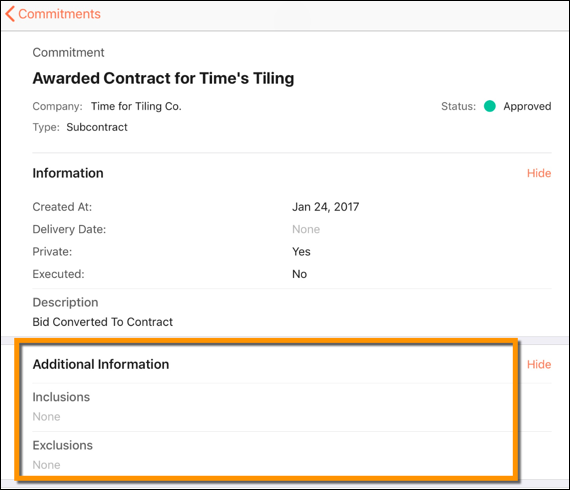
When creating subcontracts, it is important to explicitly state what is included and not included in the agreement. To ensure this information is captured and documented, the Commitments tool provides an Inclusions and Exclusions field in the commitment contract:
Inclusions describe the actions, items, services, and tasks that are included in the scope of work.
Exclusions describe the actions, items, services, and tasks that are not included in the scope of work.
Things to Consider
Required User Permissions:
'Read Only' level permissions or higher on the project's Commitments tool.
Este activo o ítem se puede ver o editar en modo sin conexión si se vio y almacenó en caché previamente en su dispositivo móvil. Las tareas realizadas en modo fuera de línea se sincronizan con Procore una vez que se restablece la conexión de red.
Prerequisites
Steps
Navigate to your project's Commitments tool using the Procore app on an iOS mobile device.
Tap the subcontract you want to view inclusions or exclusions for.
Under 'Additional Information,' tap Inclusions or Exclusions to view the subcontract's inclusions and exclusions.
See Also
Loading related articles...