View Daily Log Change History
Fondo
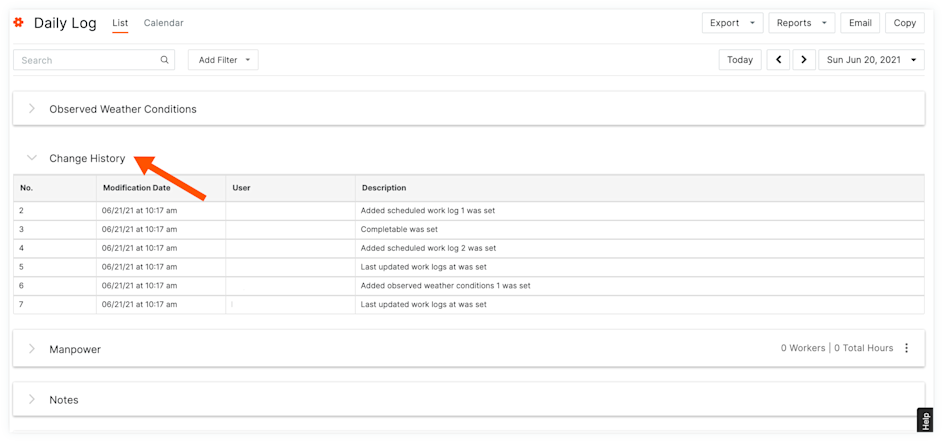
Change History lists all changes that have been made to the Daily Log during that day, as well as who made the modifications.
Things to Consider
Required User Permissions:
'Standard' or 'Admin' level permissions on the project's Daily Log tool.
Additional Information:
The Change History log must be enabled in the Daily Log Settings to see the change history.
Steps
Navigate to the project's Daily Log tool.
Scroll to the Change History to view the following information:
#: Este campo no editable cuenta el número de entradas en una sección (por ejemplo, la primera entrada creada será la # 1 y la segunda entrada será la # 2).
Modification Date: This is the date and time that the recorded action was completed.
User: This indicates the user who completed the action recorded.
Description: This field details the action that was completed by the user on that date.
See Also
Loading related articles...