Update Expiring Insurance for a Vendor in the Company Directory
Fondo
Procore le In Procore, the term Insurance Manager refers to an internal employee (or multiple employees) at your company who serve as your organization's primary point of contact(s) for ensuring that the insurance policies for your contractors, subcontractors, and other vendors are in compliance with requirements and that their required policies and certificates are kept up-to-date.
Aspectos a tener en cuenta
Si ha habilitado la herramienta Integraciones de ERP para Sage 300 CRE, los siguientes campos de seguro en el registro de una compañía Procore ahora están bloqueados cuando los datos de Procore se sincronizan con Sage 300 CRE. Debe realizar estas actualizaciones en el sistema ERP integrado: Tipo de seguro (por ejemplo, General, Automotriz, De responsabilidad extendida y Laboral), Fecha de vigencia, Fecha de vencimiento, Límite, Nombre y Número de póliza.
Prerequisites
Steps
Primero, agregue un proveedor de seguros como compañía en su directorio de compañía. Consulte Agregar o editar un proveedor/empresa al directorio de empresas.
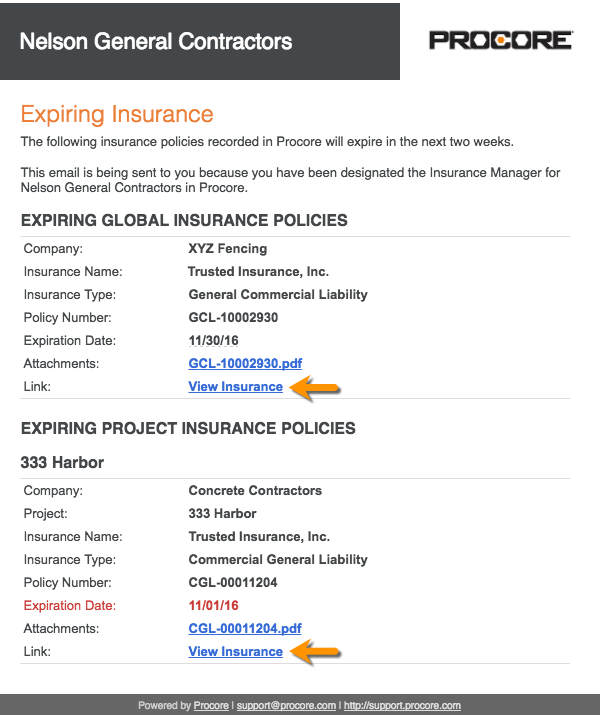
In your email client, open the 'Expiring Insurance' email from Procore.
Click the View Insurance link.
If you are not logged into Procore, log in.
Update the value in any cell with the blue caret symbol.
OR
Click Edit to change the status, add an attachment, or enter insurance notes.Click Save.