Search the Company Portfolio for Projects
Fondo
Puede utilizar la función de búsqueda en la herramienta Portafolio de la compañía para encontrar uno o más proyectos que coincidan con sus criterios de búsqueda. El alcance del alcance de la búsqueda incluye estos campos:
Nombre. Esto corresponde al nombre del proyecto.
Número. Esto corresponde al número de proyecto.
Dirección. Esto corresponde a la dirección física del lugar de trabajo.
Ciudad. Esto corresponde a la ciudad del lugar de trabajo.
Estado. Esto corresponde al estado del lugar de proyecto. Debes deletrear el nombre completo. Por ejemplo, Arizona o California.
Código postal. Esto corresponde al código postal del proyecto.
Teléfono. Esto corresponde al número de teléfono
Things to Consider
Required User Permission:
'Read Only' level permission or higher on the company's Portfolio tool.
Supported Views:
Projects
Executive Dashboard
Financial Views: Budget Variance, Contract Variance, Contract Summary, and Commitment Summary.
Supported Filters:
Department
Office
Stage
Status
Type
Region
Owner Type
Program
Role
Steps
Navigate to the project's Portfolio tool.
The Portfolio page appears.Click one of the supported views (e.g., Projects, Executive Dashboard, Financial Views).
Enter a keyword or phrase in the Search box.
Click Search.
The system displays a list of projects that match your criteria.
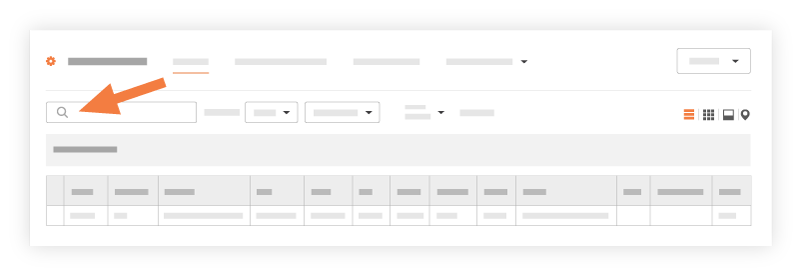
Choose from these options:
If you want to open the project, click the project's hyperlink in the Name or Project # column.
If you want to apply filters to your results, see Apply Filters to the Portfolio Views.
See Also
Loading related articles...