Configure Tool Settings from the Company Admin Tool
Background
The Tool Settings area in the Company level Admin tool's sidebar lets you configure a variety of options for the project tools being used with your company's Procore account.
Things to Consider
Additional Information:
To configure settings for a Procore project, see Configure Settings: Project Admin.
Tasks
Navigate to the Company level Admin tool. This reveals the Admin page.
Look for Tool Settings in the side panel.
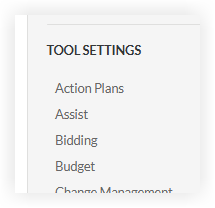
Once you've located Tools Settings, click a tool link (i.e., Budget, Directory, or Drawings) to customize how your team interacts with that specific tool. Available settings depend on each tool, you will generally see options to:
Configure Defaults: Set naming conventions or default distribution lists.
Permissions: Manage who has access to what within that specific tool.
Custom Fields: Add unique data points that your company wants to track.

Tip
Want to learn more? To learn about the specific settings and advanced configurations for a tool, search for the tool's Product Manual on the Support Site.