View a Timecard
Things to Consider
Prerequisites
Steps
Navigate to the company's Timecard tool.
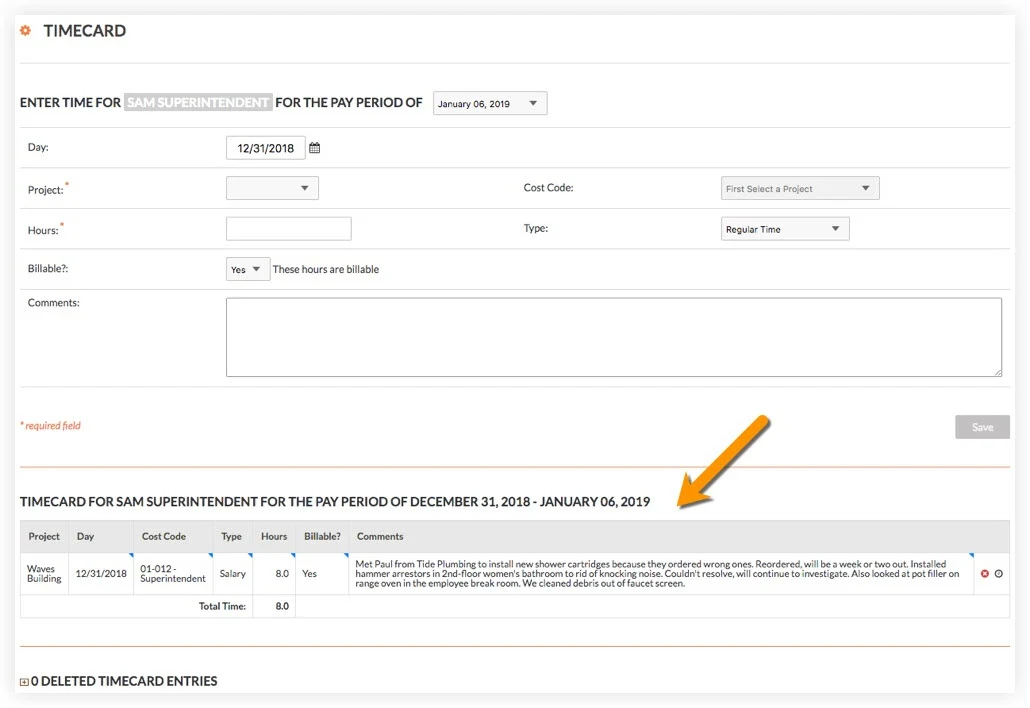
Click the gray employee name bar, and select the employee you want to view a timecard for.
Choose the pay period of the timecard entry you would like to view.
Locate the timecard at the bottom of the page.
See Also
Loading related articles...