Deactivate Budget Codes on a Project
Background
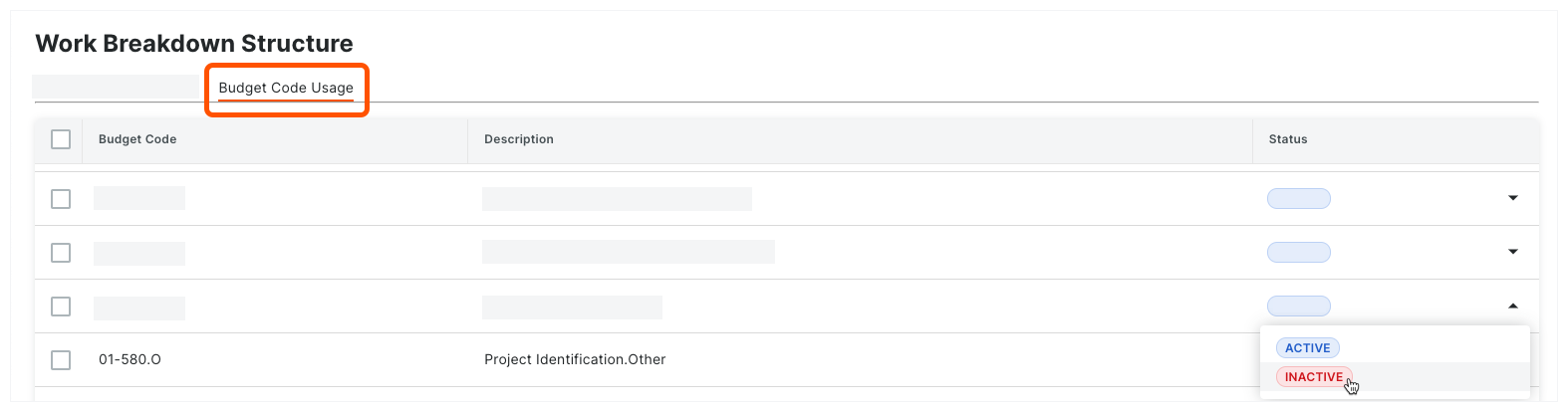
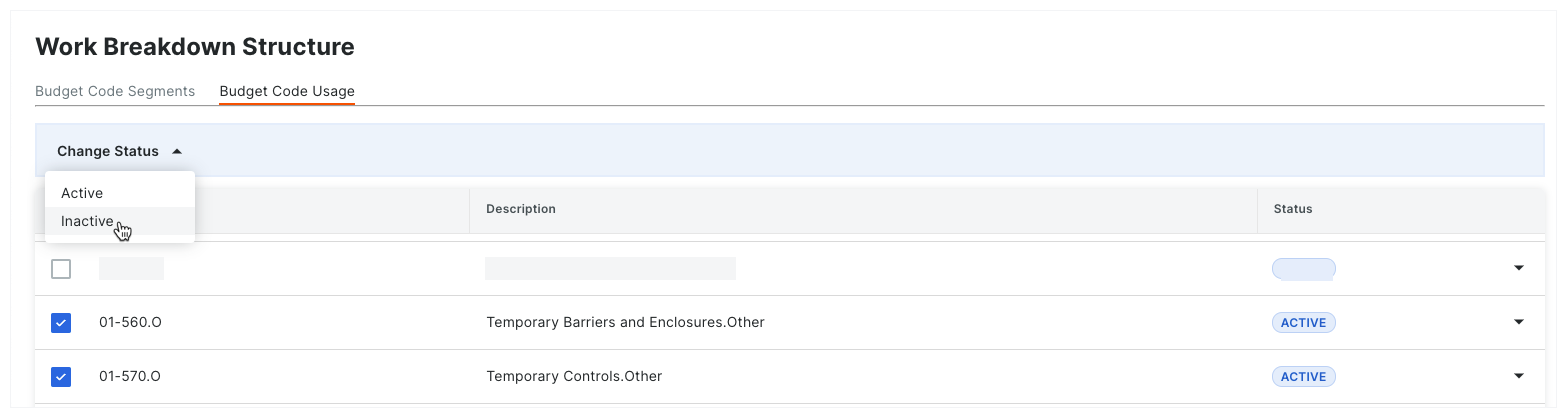
If your team has created budget codes on a project and you no longer want your project team to assign those codes to line items in Procore's Project Financials tools, you can use the steps below to deactivate selected budget codes from your project.
Deactivating budget codes removes them from the drop-down list in the 'Budget Code' column in all of Procore's Project Financial tools. In addition to Project Financials, deactivating a budget code also removes that code from task code selectors in timekeeping tools (such as Timesheets and My Time), helping prevent time entries against inactive values.
Example
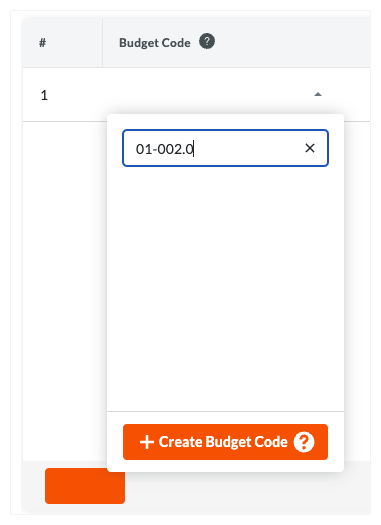
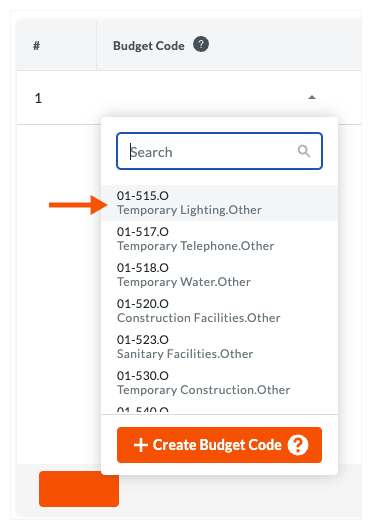
As shown in the illustrations below, an 'Active' budget code is available in the drop-down list as a selection in the 'Budget Code' column in all of Procore's Project Financials tools. An 'Inactive' budget code is not available for use.
Active Budget Codes
Appear as options in the 'Budget Code' drop-down list.
Inactive Budget Codes
Do NOT Appear as options in the 'Budget Code' drop-down list.