Search the Company Portfolio for Projects
Contexte
Vous pouvez utiliser la fonction de recherche de l’outil Portefeuille de l’entreprise pour trouver un ou plusieurs projets correspondant à vos critères de recherche. L’étendue de la portée de la recherche comprend les champs suivants :
Nom. Cela correspond au nom du projet.
Numéro. Il s’agit du numéro de la tâche.
Adresse. Il s’agit de l’adresse physique du chantier.
Ville. Celle-ci correspond à la ville du chantier.
l’État. Cela correspond à l’état du chantier. Vous devez épeler le nom complet. Par exemple, l’Arizona ou la Californie.
Code postal. Il s’agit du code postal du projet.
Téléphone. Il s’agit du numéro de téléphone
Things to Consider
Required User Permission:
'Read Only' level permission or higher on the company's Portfolio tool.
Supported Views:
Projects
Executive Dashboard
Financial Views: Budget Variance, Contract Variance, Contract Summary, and Commitment Summary.
Supported Filters:
Department
Office
Stage
Status
Type
Region
Owner Type
Program
Role
Steps
Navigate to the project's Portfolio tool.
The Portfolio page appears.Click one of the supported views (e.g., Projects, Executive Dashboard, Financial Views).
Enter a keyword or phrase in the Search box.
Click Search.
The system displays a list of projects that match your criteria.
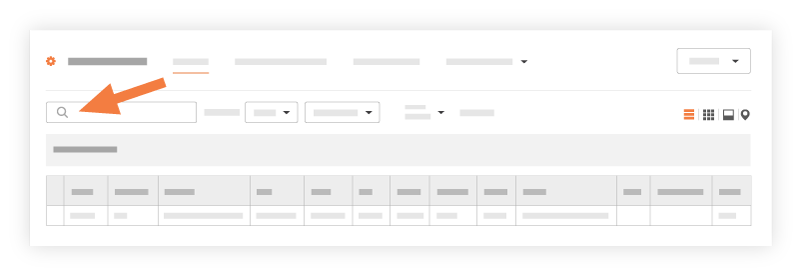
Choose from these options:
If you want to open the project, click the project's hyperlink in the Name or Project # column.
If you want to apply filters to your results, see Apply Filters to the Portfolio Views.
See Also
Loading related articles...