Pourquoi mon projet Procore est-il absent de l’outil Intégrations ERP ?
Répondre
Si votre entreprise a configuré l’outil Intégrations ERP pour qu’il fonctionne avec votre système ERP, un utilisateur peut créer un nouveau projet, puis l’envoyer à l’outil Intégrations ERP pour acceptation par un Dans Procore, un approbateur de comptabilité est une personne ayant l'autorité d'accepter et de rejeter les données Procore pour l'exportation vers un système ERP intégré. Les approbateurs de comptabilité peuvent dissocier plusieurs types d'éléments, tels que les engagements, les ordres de service de l'engagement, les ordres de service au contrat général et les factures de sous-traitants, qui ont été synchronisés entre Procore et un système ERP intégré. Voir Quelles intégrations ERP sont prises en charge par Procore ?
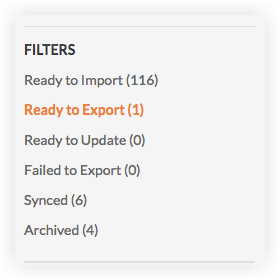
Si vous êtes un approbateur de comptabilité, vous avez la possibilité d’afficher une liste des projets Procore qui n’ont pas été synchronisés avec votre système ERP. Pour afficher cette liste, accédez à l’outil Intégrations ERP et cliquez sur le sous-onglet Projets. Ensuite, cliquez sur Prêt à exporter dans le menu « Filtres ».
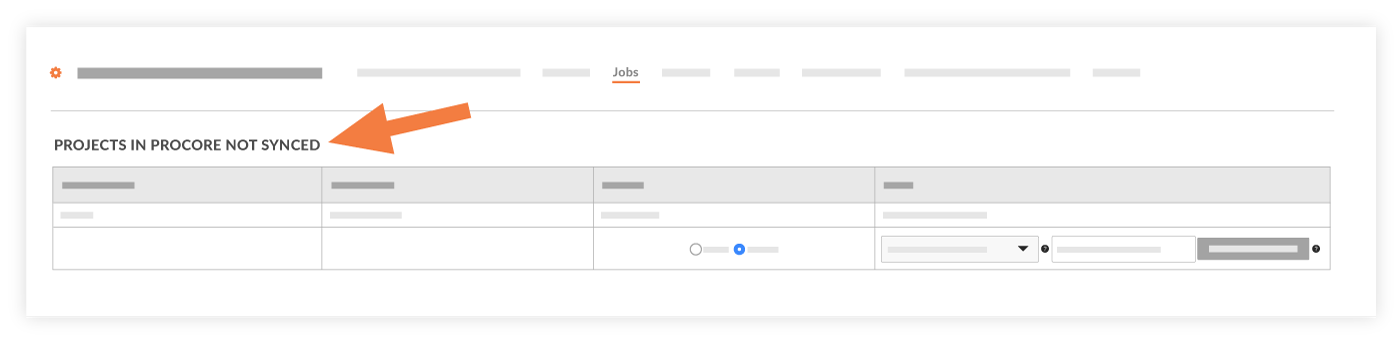
La page « Projets dans Procore non synchronisés avec ERP » s’affiche.
Pour qu’un nouveau projet Procore apparaisse dans cette liste, les conditions suivantes doivent être remplies :
Le projet doit être configuré pour utiliser les « codes de coût standard ERP ».
Le projet doit être marqué comme « Projet actif ».
Une fois le projet créé, il doit être envoyé à l’outil Intégrations ERP.
Voir aussi
Chargement des articles connexes...