Add Root Cause Analysis Fields
Background
In the Company level Admin tool, you can add custom values for Hazard, Contributing Condition, and Contributing Behavior fields. Once configured, team members can select these tailored values when creating an Observation or Incident. This allows your organization to align data collection with internal safety policies or specific regulatory compliance requirements.
Things to Consider
Additional Information
Changes made here will apply across all projects using these fields.
Steps
Navigate to the Company level Admin tool.
Under 'Company Settings', click Root Cause Analysis.
Click into the text box under the desired field and type the option you want to add.
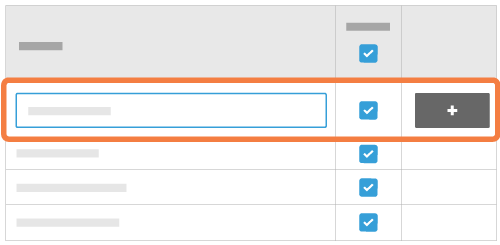
Click +Add.
These selections will now be available in the Observations and Incidents tools when creating an observation or incident.
See Also
Loading related articles...