Download the Company or User Import Template

Arrière-plan

Pour importer des enregistrements de fournisseur ou d’utilisateur dans l’outil Annuaire au niveau entreprise ou projet de Procore, téléchargez le modèle d’importation approprié et effectuez les mises à jour requises avant de soumettre votre demande.

 Pourboire

Vous pouvez également effectuer votre propre importation à l’aide de l’application Procore Imports. Voir Préparer les contacts de l’entreprise pour l’importation dans l’application Procore Imports.
Éléments à prendre en compte

IMPORTANT! In order to protect the integrity of your company’s data, Procore Employees are restricted from modifying the data that clients submit in all Procore Import Templates. This restriction applies to all data modifications, including correcting typographical errors. If Procore determines that errors are present in any Procore Import Template that you submit to Procore, it will be returned to you for correction. Please note that the import process may take up to 72 hours to process.


Steps

  • Download the User Import Template

  • Download the Company Import Template

Download the User Import Template

  1. Navigate to the Company or Project level Directory tool.

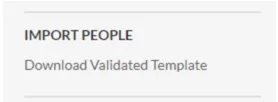
  2. Under Import People, click Download Validated Template.
    import-people-download-template.jpg

  3. From the Procore Imports Templates page, locate the Directory row and click the import user XLSX template to download.

Download the Company Import Template

  1. Navigate to the Company or Project level Directory tool.

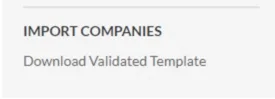
  2. Under Import Companies, click Download Validated Template.
    import-companies-download-template.jpg

Next Steps

See Also

Loading related articles...