Répondre à un e-mail « Bienvenue dans Procore »
Arrière-plan
Si votre employeur ou une entreprise avec laquelle vous faites affaire vous invite à rejoindre son organisation Procore en tant qu’utilisateur, vous recevrez un e-mail automatisé du domaine @procoretech.com avec la ligne d’objet « Bienvenue dans Procore ». Pour répondre à l’e-mail et rejoindre l’organisation Procore, suivez les étapes ci-dessous pour vous connecter à l’application Web Procore pour la première fois.
Éléments à prendre en compte
Autorisation utilisateur requise:
Pour recevoir une invitation à devenir un utilisateur Procore, un utilisateur disposant d’une autorisation de niveau « Admin » dans l’annuaire de l’entreprise doit procéder comme suit :
Informations complémentaires:
Après l’envoi d’une invitation, le système envoie à la personne un e-mail automatisé « Bienvenue dans Procore » à partir du domaine @procoretech.com.*
Si vous êtes un nouvel utilisateur Procore, vous serez invité à créer un mot de passe.
Pour des raisons de sécurité, le lien « Commencer » contenu dans l’e-mail « Bienvenue dans Procore » et dans toute invitation de rappel expire trois jours après l’envoi de l’e-mail ou après qu’un utilisateur clique une fois sur le lien.
Si le destinataire ne répond PAS à une invitation, le système envoie des invitations de rappel après un, trois, sept et quatorze jours.
Vous pouvez réinviter des personnes qui n’ont pas répondu à vos invitations.
Exemples
E-mail de bienvenue pour un compte Procore d’entreprise
E-mail de bienvenue pour un projet Procore d’entreprise
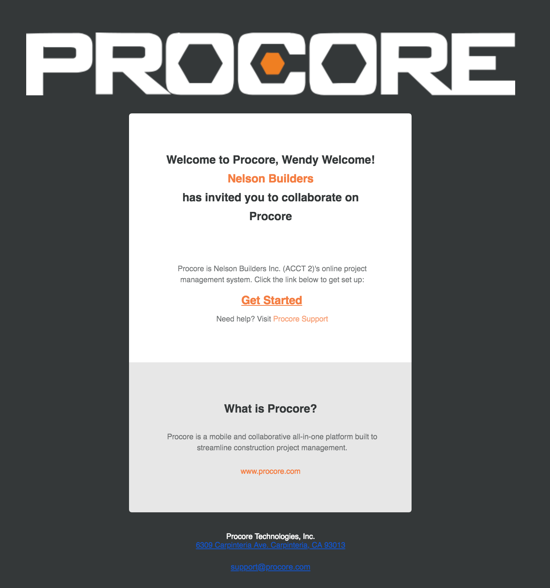
E-mail de bienvenue pour un compte Procore d’entreprise
L’exemple ci-dessous vous montre à quoi ressemble une invitation à un compte Procore d’entreprise.
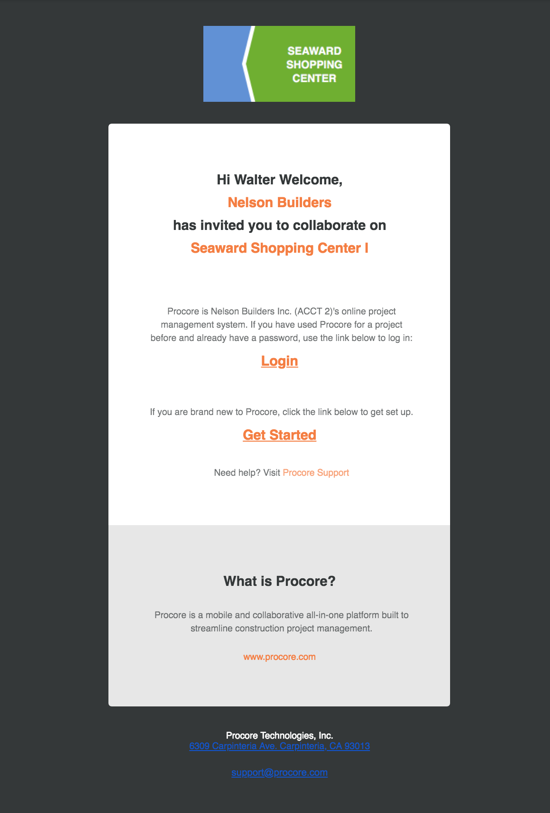
E-mail de bienvenue pour un projet Procore d’entreprise
L’exemple ci-dessous vous montre à quoi ressemble une invitation à un projet Procore.
Escalier
Ouvrez l’e-mail de bienvenue.
Si vous êtes nouveau dans Procore, cliquez sur Commencer.
Remarque: si vous avez déjà utilisé Procore pour un projet et que vous disposez déjà d’un mot de passe, cliquez sur Connexion. Continuez ensuite avec Comment se connecter à Procore Web (app.procore.com).Saisissez dans le champ Mot de passe un mot de passe qui répond aux exigences suivantes :
Exigences en matière de mot de passe de Procore :
Cinq (8) caractères ou plus
Au moins une (1) lettre majuscule
Au moins une (1) lettre minuscule
Au moins un (1) numéro
Au moins un (1) caractère spécial ( !@#$ %^&*)
Les mots de passe doivent correspondre
Vous ne pouvez pas réutiliser vos quatre (4) derniers mots de passe
Saisissez à nouveau le même mot de passe dans le champ Confirmer .
Si vous souhaitez vous abonner à la newsletter Construction de Procore et recevoir des informations sur les mises à jour des produits, cochez la case.
Cliquez sur Définir le mot de passe.
Voir aussi
Chargement des articles connexes...