Récupérer une photo de la corbeille
Éléments à prendre en compte
Autorisations utilisateur requises:
Autorisations « Admin » dans l’outil Photos du projet.
Escalier
Accédez à l’outil Photos de votre projet.
Cliquez sur la vue Corbeille .
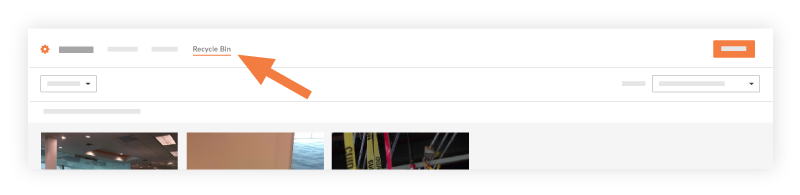
Passez la souris sur la photo à récupérer, puis cochez la case à cocher pour la sélectionner.
Si nécessaire, répétez l’opération pour d’autres photos.Cliquez sur Restaurer.
La ou les photos seront restaurées dans l’album original.
Remarque : Si l’album original n’est plus présent, la ou les photos seront restaurées dans l’album « Non classé ».
Voir aussi
Chargement des articles connexes...