Personnaliser l’affichage des colonnes dans l’outil Préqualification
Arrière-plan
Vous pouvez personnaliser les colonnes de l’outil Préqualifications afin d’afficher les données qui vous intéressent.
Éléments à prendre en compte
Autorisations utilisateur requises : autorisations de niveau « Lecture seule » ou supérieures dans l’outil Préqualifications.
Escalier
Accédez à l’outil Préqualifications de l’entreprise.
Cliquez sur les points de suspension verticaux (⋮).
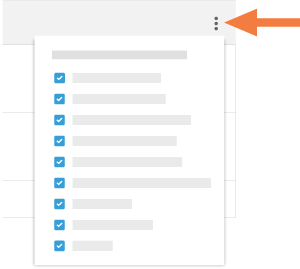
Choisissez parmi ces options :
Afficher une colonne
cochez la case à côté d’un nom de colonne pour que celle-ci soit affichée sur la page Préqualifications. Par défaut, toutes les colonnes disponibles sont affichées.Masquer une colonne
Décochez la case correspondant à la colonne que vous souhaitez masquer sur la page Préqualifications.
See Also
Loading related articles...