Envoyer une estimation au Budget dans Procore Estimation
Fond
Après avoir terminé une estimation dans l’outil Estimation, vous pouvez utiliser l’option « Envoyer vers l’outil Budget » pour copier et importer les postes de cette estimation dans l’outil Budget du projet. Les codes de coûts et les montants de l’estimation seront reflétés dans le budget.
Éléments à prendre en compte
Autorisations utilisateur requises:
Autorisations de niveau Admin dans les outils Estimation ET Budget du projet.
Informations complémentaires:
Si l’estimation comporte une pièce à laquelle s’appliquent Main-d’œuvre, Matériaux et Taxes, cet élément apparaîtra comme trois (3) postes distincts dans votre budget (un pour la main-d’œuvre, un pour les matériaux et un pour les taxes).
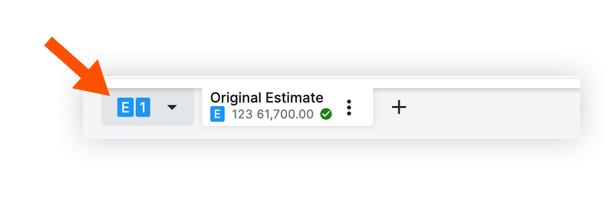
Pour envoyer une estimation au budget, l’estimation doit être définie comme estimation principale. Une coche verte l’indiquera. Voir la capture d’écran dans la section Étapes ci-dessous.
Escalier
Connectez-vous à Procore Estimation et sélectionnez le projet concerné.
Cliquez sur l’onglet Estimation .
Sélectionnez l’estimation.
Cliquez sur le menu Actions .
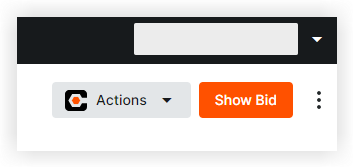
Sélectionnez Envoyer au budget.
Voir aussi
Chargement des articles connexes...