Add, Edit, or Delete Project Links from the Project Overview

 En version bêta

Cette fonctionnalité est actuellement disponible pour tous les clients en Australie, au Canada, au Royaume-Uni, aux États-Unis et en Nouvelle-Zélande. Les utilisateurs d’autres régions peuvent accéder à la page d’accueil du projet. Veuillez contacter votre Procore point of contact pour demander l’activation de cette fonctionnalité.
Background

The Project Overview gives users access to important project information in one place.

You can add and manage links on the Project Overview and link users to resources such as company websites, webcams, industry resources, or any other website that may provide helpful information for users working on the project.

Éléments à prendre en compte

Steps

  1. Click Project Tools and select Home to navigate to the Project Overview.

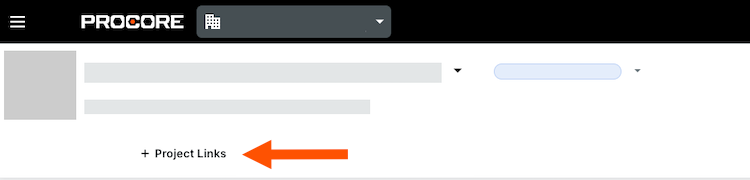
  2. Click Links.
    project-links.png

  3. Take one of the following actions:

    • Add a Link

    • Edit a Link

    • Delete a Link

Add a Link

  1. Click Add Link.

  2. Enter the name and URL.

  3. Click Save.

Edit a Link

  1. Click in to the link or URL you want to edit.

  2. Edit the information.

  3. Click Save.

Delete a Link

  1. Click the delete icon-delete-trash6.png icon.

  2. Click Save to confirm.

See Also

Loading related articles...