Copy a Company Single Tool Report
Background
Copying a report is the fastest way to use an existing report's layout and data as a template for a new one. This is ideal when you need to create a slightly different version for a new audience, experiment with filters without altering the original, or modify a report that has been shared with you.
Keep in mind that a copied report is a completely independent snapshot; any future changes to the original report will NOT be reflected in the copy.
Éléments à prendre en compte
Autorisations utilisateur requises :
Accédez au rapport en tant que :
Créateur.
OULecteur (si partagé) avec des autorisations de niveau « Standard » ou supérieures dans l’outil Rapports de Project 360.
Informations complémentaires:
Visibilité des données: une nouvelle copie n’affichera que les données que vous êtes autorisé à consulter.
Rapports indépendants: la copie est un instantané autonome. Il ne sera pas mis à jour si des modifications sont apportées au rapport d’origine.
Steps
Navigate to the Company 360 Reporting tool.
Choose an option to make a copy:
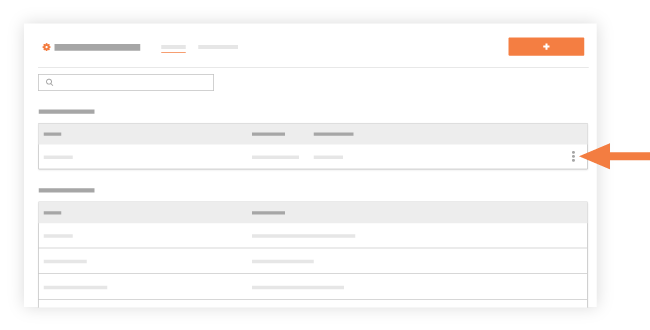
Locate the desired report in the list under My Reports. Next, click the vertical ellipsis (⋮) and choose Make a Copy.
Click the report's name in the My Reports list to open it. Next, click the vertical ellipsis (⋮) and choose Make a Copy.
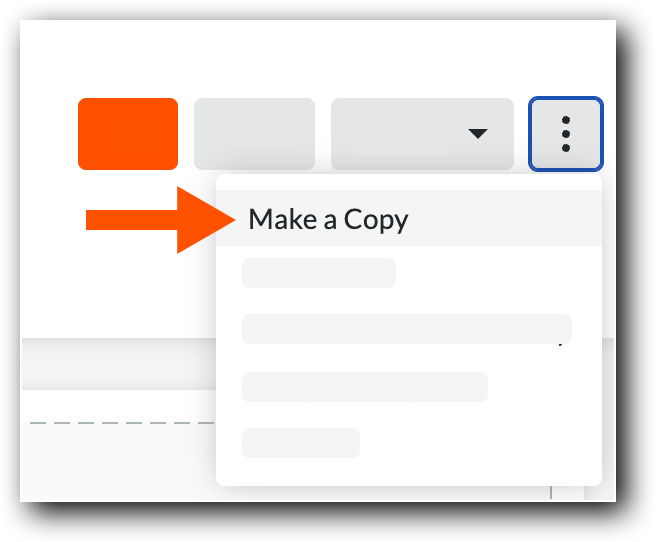
Procore creates a copy of the report and appends '-Copy' to the report name.
Click Save.
A banner appears to confirm the copy is saved.Optional: Click Edit and modify the copy as needed.


See Also
Loading related articles...