What are the Different Attendees Table Formats Supported in Exported Meeting PDFs?
Answer
You can select the attendee table formats you want to include in your exported meeting PDF. This allows you to view scheduled attendee names and their contact details in the desired table format in exported meeting PDFs.
Using the Company Admin tool, you can select one of the following attendee table formats:
One Column: Displays the scheduled attendee details in a single-column table at the beginning of the exported PDF.
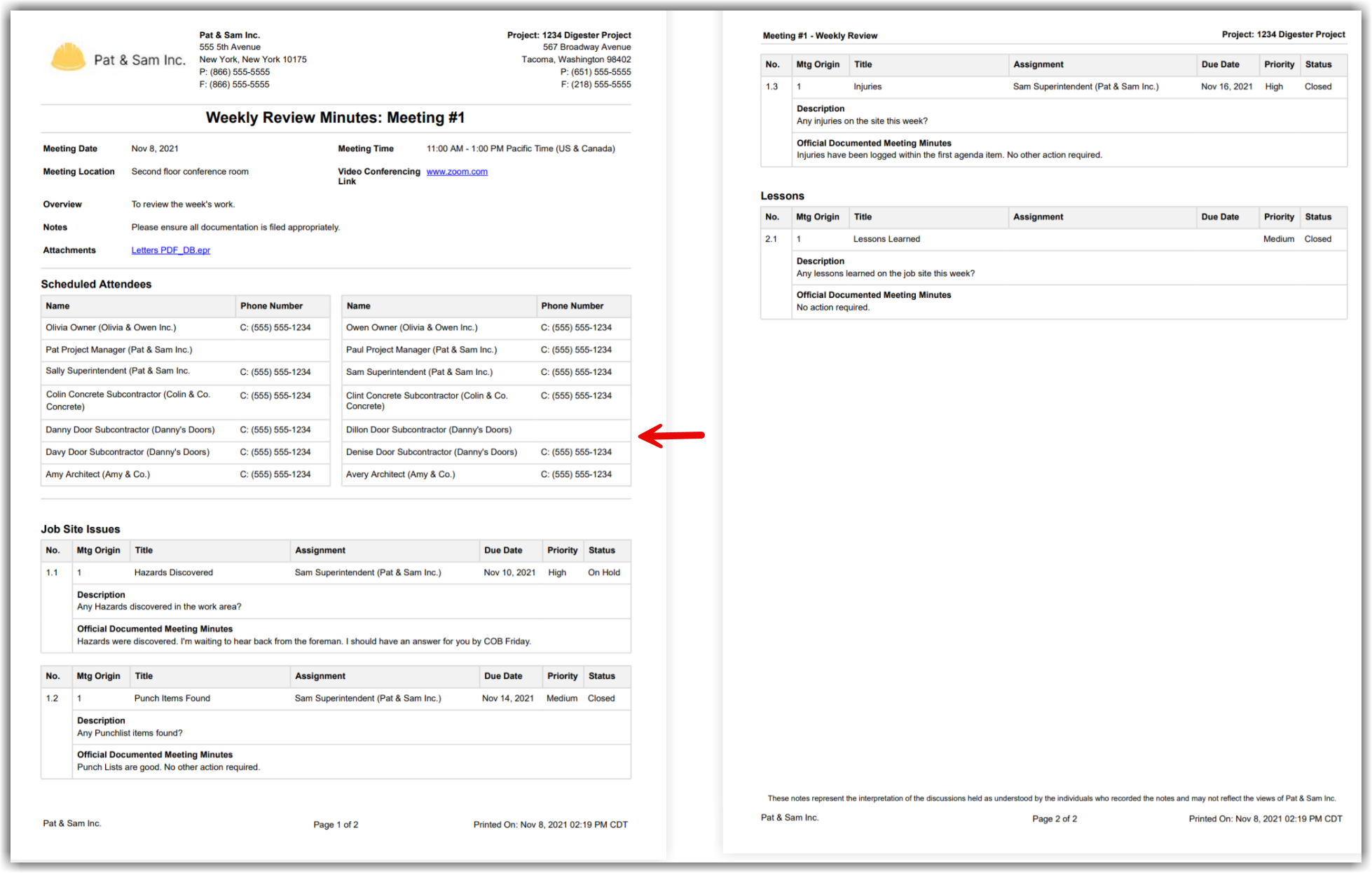
Two Columns: Displays the scheduled attendee details in a two-column table at the beginning of the exported PDF. The following image is an example of the two-column attendee table format:
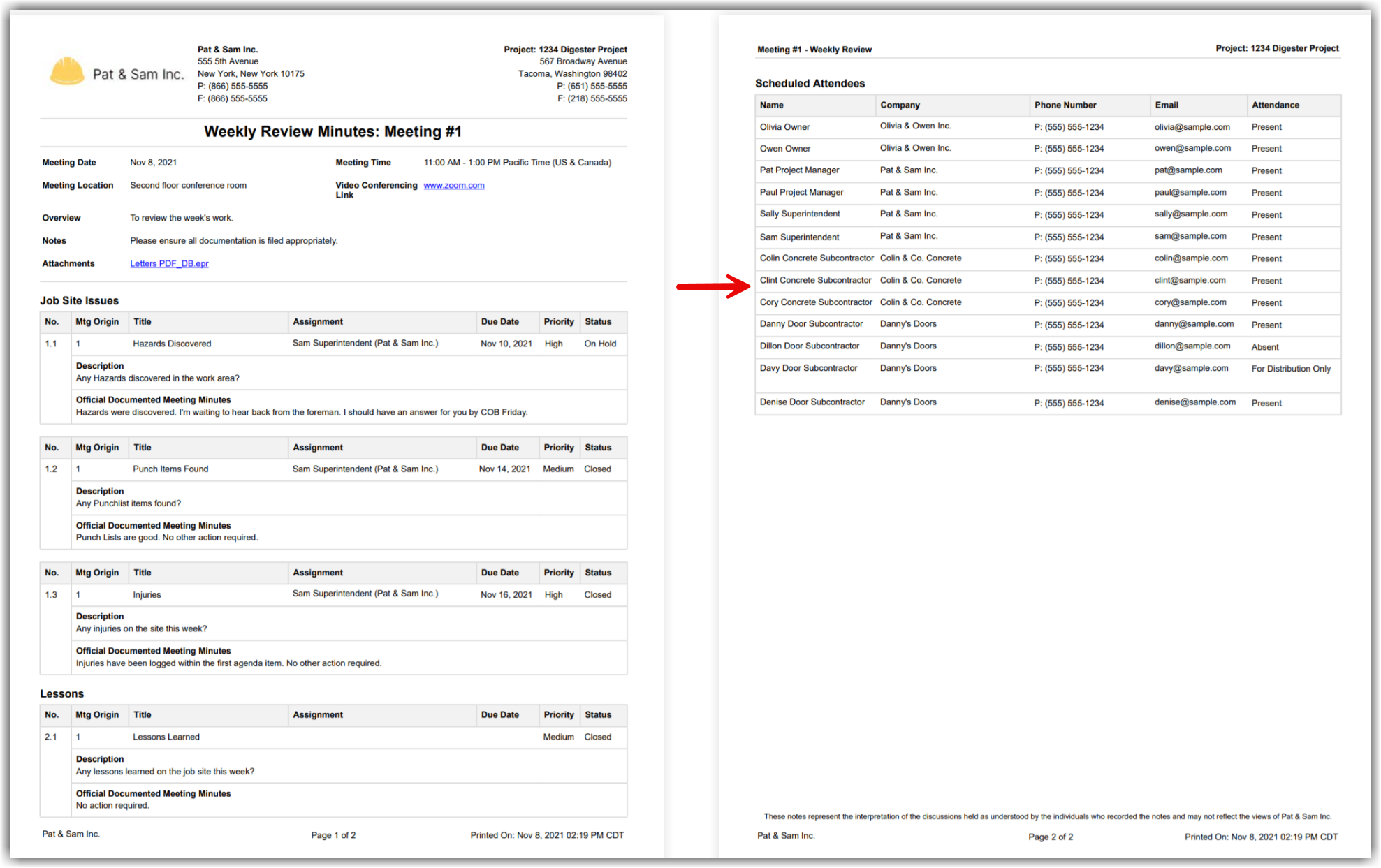
Move to end of PDF: Displays the scheduled attendee table at the end of the exported PDF. The following image is an example of the attendee table moved to the end of the exported meeting PDF:
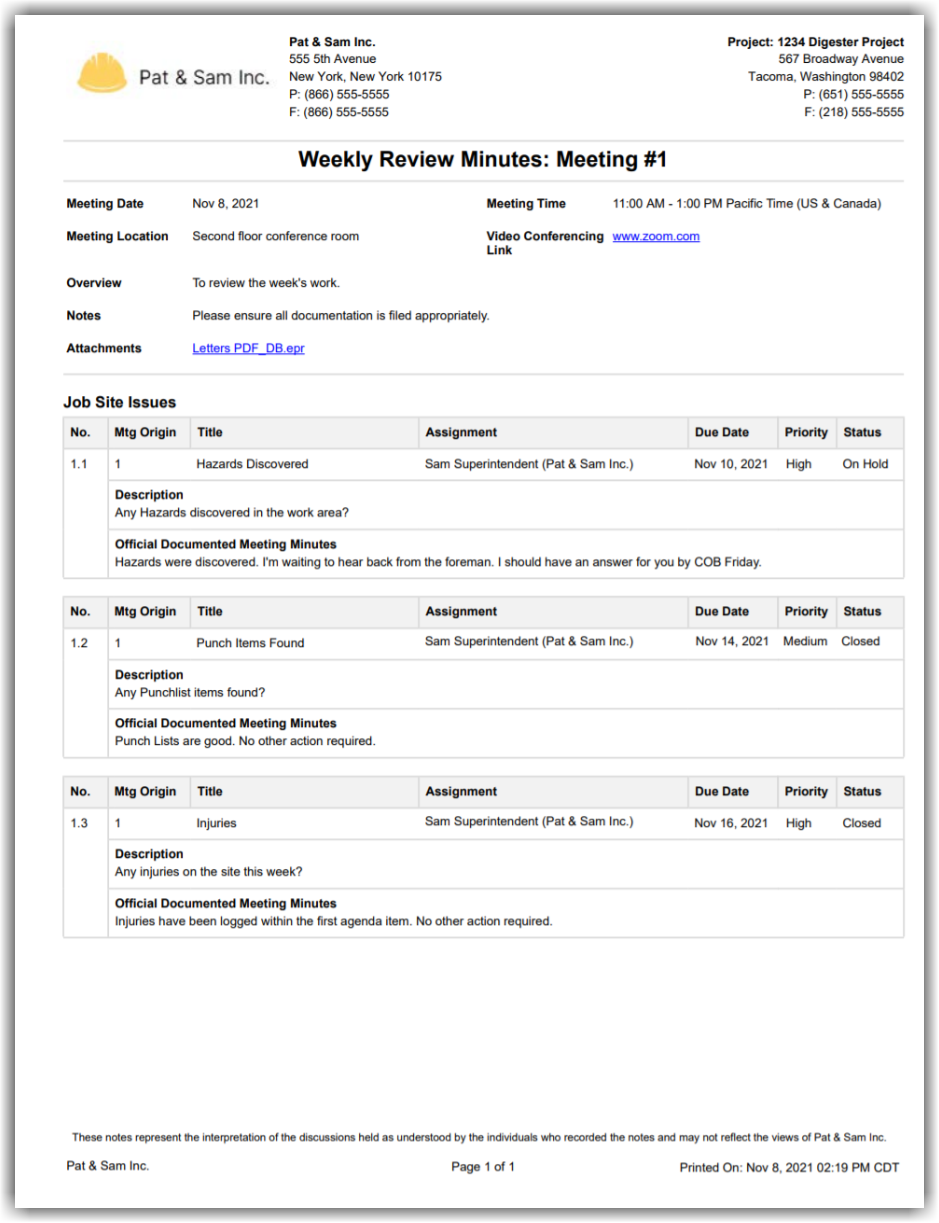
Remove Table: Does not display the scheduled attendee table in the exported PDF. The following image is an example of the exported meeting PDF without the attendee table:
To learn more about the PDF configuration for meetings, see Manage PDF Configurations for Exported Meetings.
See Also
Loading related articles...