Search and Filter the Directory (iOS)
Things to Consider
The 'Companies' tab only shows companies that have users associated with them.
Steps
Search the Directory
Navigate to the Project level Directory tool using the Procore app on an iOS mobile device.
Tap the search bar to type a keyword or phrase matching your desired contact.
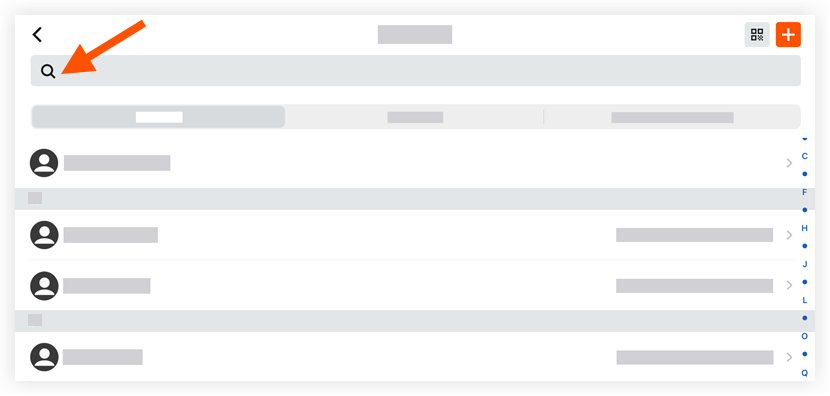
Tap a contact to view its details.
Filter the Directory
Navigate to the Project level Directory tool using the Procore app on an iOS mobile device.
Tap one of the following tabs to filter your project's contacts:
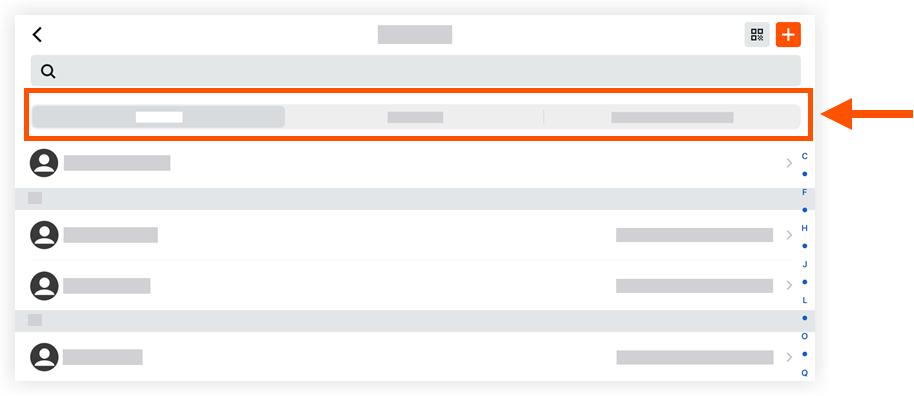
Contacts: Tap this tab to view a list of the project's users organized alphabetically.
Companies: Tap this tab to view a list of the project's users organized by company.
Your Company: Tap this tab to view a list of all users in your company.
See Also
Loading related articles...