Publish a New Version of a Model
Background
Publishing a new version of a model to Procore is necessary when any changing any of the published model geometry, such as altering sectioning. If you only need to edit information for a model, you can edit it in the Models tool. See Edit Information for a Model.
Things to Consider
When publishing a Navisworks® model to Procore:
File Formats: Supports NWD and NWF only
Section Boxes: Supports specific views of your model. See Add a Section Box to a Model.
Section Planes: Not supported
Steps
Open the source file in the Navisworks® application on your computer.
Click the Procore tab.
Click Publish to open the Models window.
In the Models window, hover over the model that you want to publish a new version of and click Publish Version.
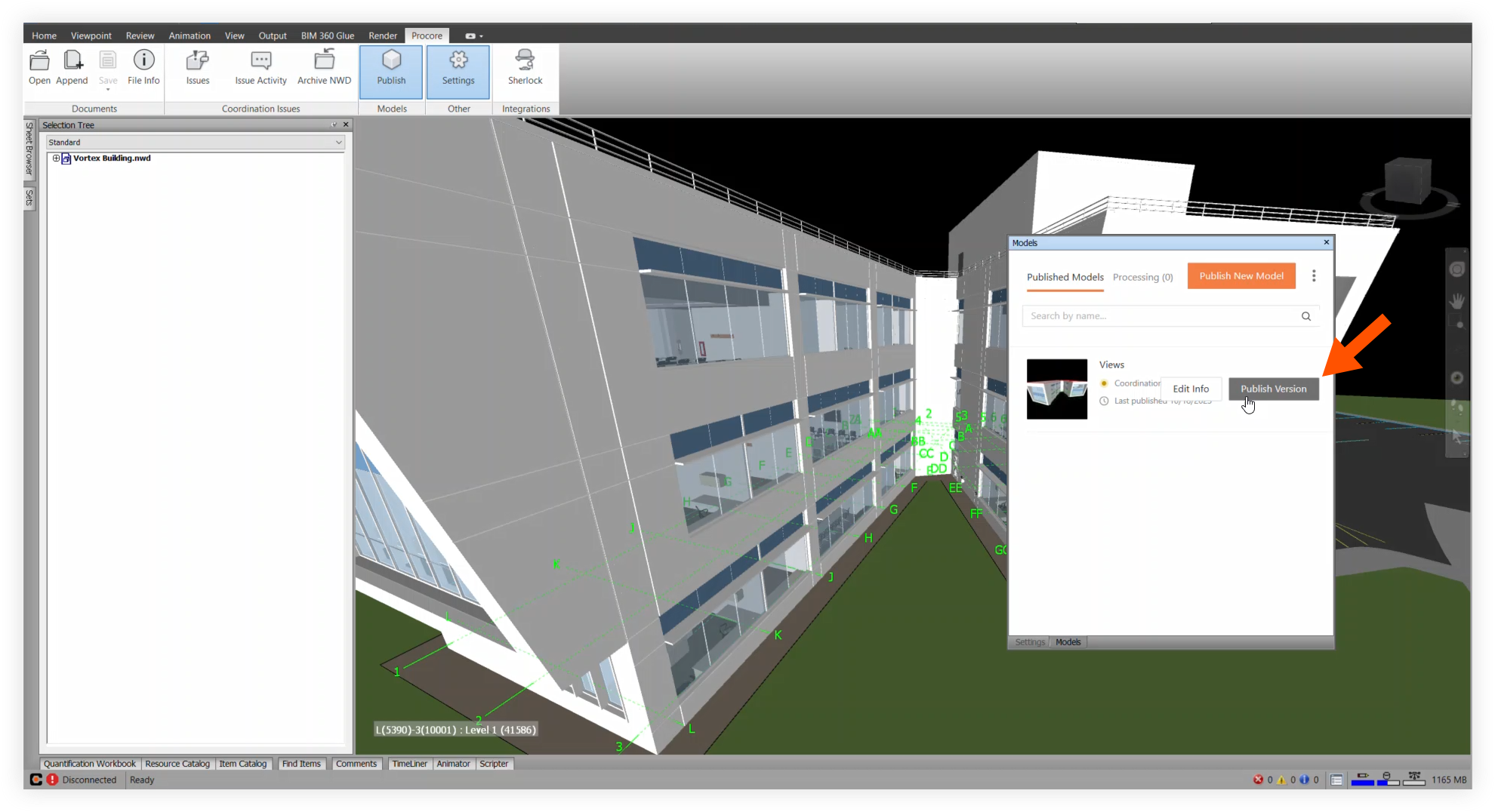
Make any necessary adjustments for the new version of the model.
Click Publish to publish the new version.
See Also
Loading related articles...