Download a File from the Company Level Documents Tool (iOS)
Background
You can download files from the Company Documents tool so that they can be accessed in Procore in offline mode.
Things to Consider
The new view and workflow now applies to both Purchase Orders and Subcontracts.
Details like descriptions, inclusions, and exclusions can be expanded or collapsed to keep the view clean.
Schedule of Values and Change Orders are now organized into independent subtabs, reducing the need for excessive scrolling.
Attachments are displayed at the top of the commitment for quick access.
This item can be viewed or edited offline if it was previously viewed and cached on your mobile device. Tasks performed in offline mode sync with Procore once a network connection is reestablished.
Steps
Open the Procore app on an iOS mobile device.
Tap your avatar and navigate to the Sidebar screen.

Tap Company Documents.
Navigate to the file you want to download.
Tap the download icon next to the file.
Note: This action will automatically download the file to your Procore app and make it accessible offline.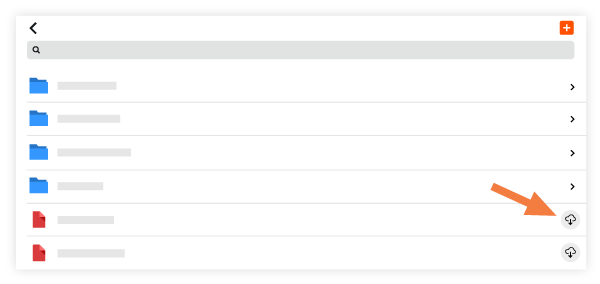
See Also
Loading related articles...