Create a Crew
Background
Crews help you organize job site laborers into manageable groups. Each crew performs specific scopes of work, such as concrete, and is managed by a Foreman or Crew Lead who oversees their progress.
Things to Consider
Each crew can only have one Crew Lead.
Prerequisites
Add the employees you want on the crew. See Add a User Account to the Project Directory.
Add the workers you want on the crew. See Add a Worker.
Steps
Navigate to the project's Crews tool.
Click Create and select Create Crew.
Mark the checkbox next to each person that you want on the crew.
Optional: To select a Crew Lead, hover over their name and click Set as Crew Lead.
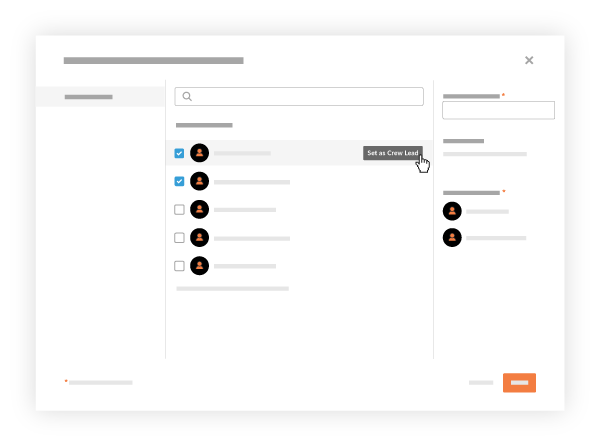
Enter the crew's name in the Name Your Crew box.
Click Create.
See Also
Loading related articles...