Add, Edit, or Delete Project Links from the Project Overview
 In Beta
This feature is currently available to all customers in Australia, Canada, United Kingdom, United States, and New Zealand. Users in other regions can access the Project Home. Please reach out to your Procore point of contact to request to enable this feature.
This feature is currently available to all customers in Australia, Canada, United Kingdom, United States, and New Zealand. Users in other regions can access the Project Home. Please reach out to your Procore point of contact to request to enable this feature.
Background
The Project Overview gives users access to important project information in one place.
You can add and manage links on the Project Overview and link users to resources such as company websites, webcams, industry resources, or any other website that may provide helpful information for users working on the project.
Things to Consider
Steps
Click Project Tools and select Home to navigate to the Project Overview.
Click Links.
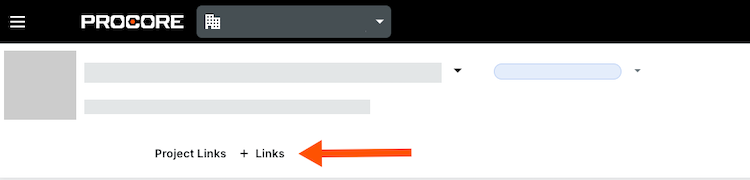
Take one of the following actions:
Add a Link
Edit a Link
Delete a Link
Add a Link
Click Add Link.
Enter the name and URL.
Click Save.
Edit a Link
Click in to the link or URL you want to edit.
Edit the information.
Click Save.
Delete a Link
Click the delete
 icon.
icon.Click Save to confirm.