Reorder Bid Forms
Background
When a bid package contains multiple bid forms, arranging them in a logical sequence ensures a smoother review process. By reordering your bid forms, you can prioritize primary scopes of work or structure the forms to match your project's estimating flow.
Things to Consider
Required User Permissions on the project's Bidding tool.
Additional Information:
The Reorder Bid Forms button is hidden for users with 'Read-Only' or 'Standard' permissions.
Reordering bid forms updates the sequence for both internal users and external bidders in real time.
Steps
Navigate to the project's Bidding tool.
Click the name of the relevant bid package.
Reorder Bid Forms from a Bid Package
Click Reorder.
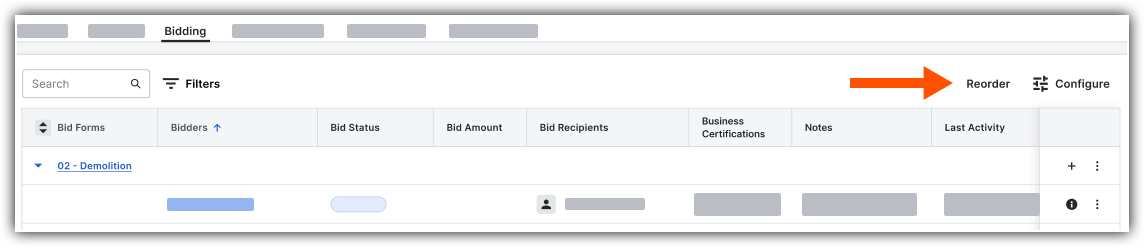
In the bid forms side panel, use one of the following methods to arrange your bid forms:
Reorder Bid Forms Alphanumerically:
Click Sort A-Z.
Reorder Bid Forms Manually:
Click and hold the grip
 icon next to a bid form.
Drag the bid form up or down to your preferred position.
Release.
Click Save Changes.

Reorder Bid Forms from a Bid Form
Click a bid form name.
OR
Click the Bid Forms dropdown menu.Select View Bid Forms.
In the left side menu, click the reorder
 icon.
icon.In the bid forms side panel, use one of the following methods to arrange your bid forms:
Reorder Bid Forms Alphanumerically:
Click Sort A-Z.
Reorder Bid Forms Manually:
Click and hold the grip
icon next to a bid form.Drag the bid form up or down to your preferred position.
Release.
Click Save Changes.
See Also
Loading related articles...