Search and Filter the Company Directory
Things to Consider
The search function respects any selected filter parameters and only searches for items within the filtered results.
The 'Contacts' and 'Inactive Contacts' tabs are populated with contacts created from one or more projects' tools.
Steps
Switch Between Views in the Company Directory
Search the Company Directory
Add Filters to the Company Directory
Group Users by Company in the Company Directory
Switch Between Views in the Company Directory
Navigate to the Company level Directory tool.
Click one of the tabs described below to change your view of the Directory:
Users
Contacts
Companies
Distribution Groups
Inactive Users
Inactive Contacts
Search the Company Directory
Navigate to the Company level Directory tool.
Click the desired tab.
In the Search field, type your desired criteria.
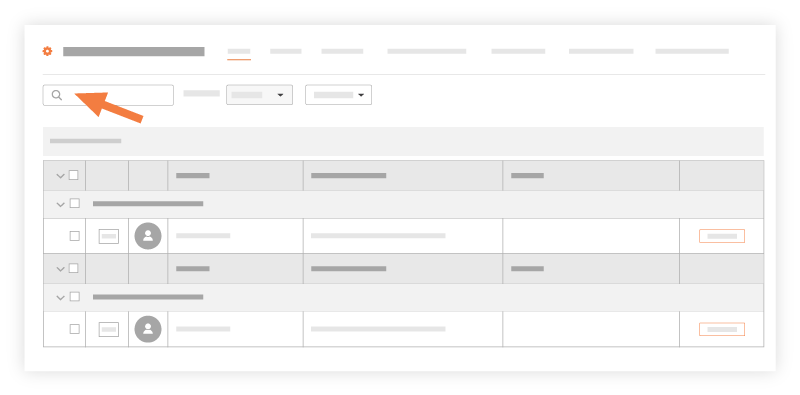
Press ENTER or click the magnifying glass in the Search field.
The search feature supports advanced search symbols. See What is an advanced search symbol in Procore?
Add Filters to the Company Directory
Navigate to the Company level Directory tool.
Click the Users or Companies tab.
Click Add Filter.
Users. Select one of the following filters from the drop-down menu:
Permission Template (Default) to filter users by the default permission template that is assigned to the user.
Note: Only users with 'Admin' level permissions on the Company level Directory can apply this filter.Trades to filter by the trade associated with the user's company record. See Add a Custom Trade.
Resource Planning to filter by people who have been added to the Resource Planning tool.
Companies. Select one of the following filters from the drop-down menu:
[Company Name] Cost Codes to filter results by your company's cost code list
[ERP Integration Name] Cost Code to filter by the cost codes that have been configured for your specific integrated ERP system.
Trades to filter by the trade associated with the company record.
Group Users by Company in the Company Directory
Navigate to the Company level Directory tool.
Click the Users tab.
From the Group By list, choose Company.
See Also
Loading related articles...