Configure the Vendor Type Import Settings for Sage 300 CRE®
Background
A user with 'Admin' level permissions on the company's ERP Integrations tool can specify which Sage 300 CRE® vendor types to import into Procore.
Things to Consider
Required User Permission: 'Admin' on the company's ERP Integrations tool.
Steps
Navigate to the company's ERP Integrations tool.
Click Configure Settings
 .
.Click Vendor Type Import Settings.
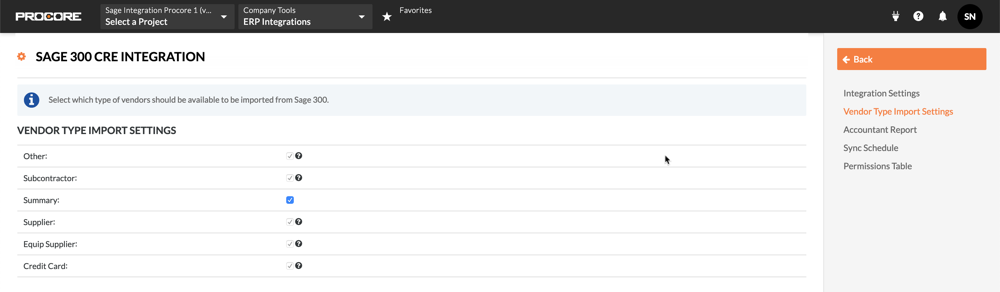
Under Vendor Type Import Settings, mark the checkboxes that correspond to the wanted Vendor Types.
Notes:Vendor types are created in Sage 300 CRE®.
Vendor types let accountants classify your vendor data in a way that is meaningful to your business.
When a Vendor Type checkbox is dimmed and not available, the data has been synced between Sage 300 CRE® and Procore. The checkmark cannot be removed after data is synced.
Click Back.
Your changes are automatically saved.
See Also
Loading related articles...