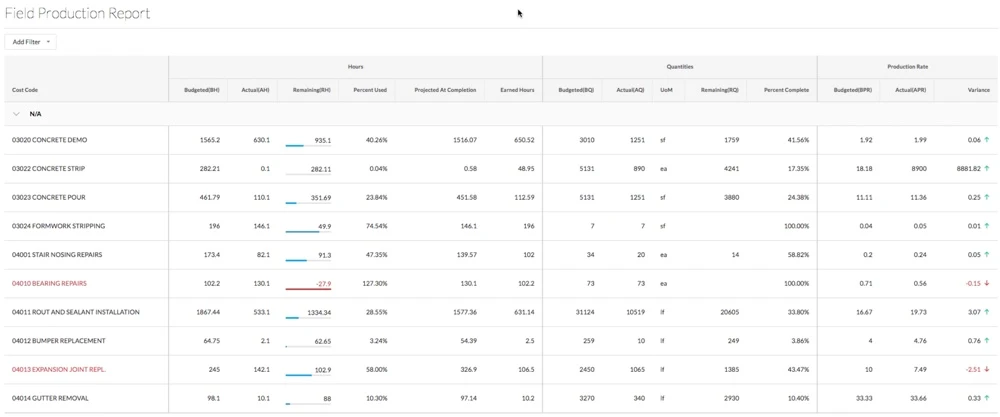
View a Field Production Report
Background
Production quantities are a measurable amount of work on a construction project. For example, cubic yards of concrete, number of light fixtures, or linear feet of piping. In Procore, there are two types of production quantities:
Budgeted production quantities refers to the measurable amount a team plans to install on a project.
Installed production quantities refers to the actual amount installed on a project by a point in time.
The Field Production Report compares a construction project's budgeted production quantities with its installed production quantities.
Coisas a considerar
For customers using Procore's Resource Tracking and Project Financials tools, production quantities and hours entered on your project's change orders automatically updates data in these Procore features, when change orders are placed in the 'Approved' status:
The Procore Labor Productivity Cost budget view.
The Field Production Report. See Which data columns are in a Field Production Report?