如何在文档管理工具中处理锁定或受限的 PDF 文件?
Regional availability
The Document Management tool is available in select countries. It is not yet available for Procore accounts in the U.S. To learn more, please reach out to your Procore point of contact.

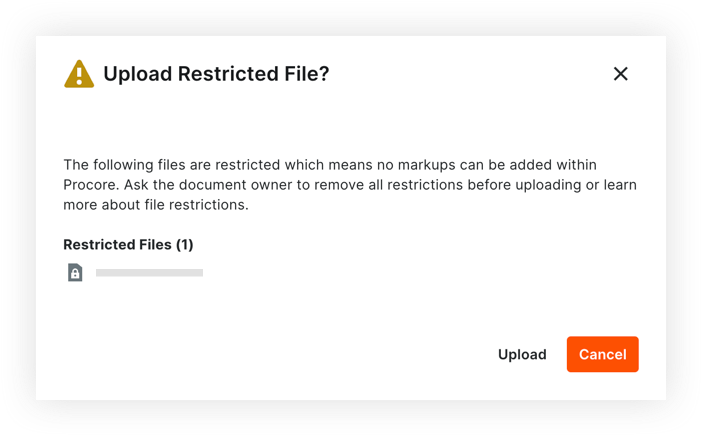
上传到项目文档管理工具的受限 PDF 文件(也称为锁定文件)在功能上与无安全限制的文件不同。上传受限制文件时,其功能在 Procore 中可能会受到限制,具体取决于文件的安全限制。
我们建议将没有任何安全限制 的文件 上传到文档管理工具,以确保 Procore 中文件的完整功能。
Restricted PDF files uploaded to a project's Document Management tool have the following limitations:
If a PDF file has viewing restrictions and requires a password to open it, the file cannot be opened or viewed within Procore. You can choose to download the file to your computer and open it in another viewer if you have the appropriate access.
A restricted PDF files that is NOT password protected can be opened and viewed in the viewer, but a persistent banner is shown (shown below), stating it is restricted and markup functionality is blocked. Since these files restrict alterations, adding markups to them within Procore would prevent them from being downloaded or distributed from Procore.

If you upload a PDF file from your local computer to the Document Management tool, Procore checks the PDF for security restrictions. You can choose to cancel attaching the file, or to proceed.
If the PDF has copying or editing restrictions, a warning message appears with any files that are restricted (shown below).
Loading related articles...