How does Procore decide which document version is the latest in the Document Management tool?

Regional availability

The Document Management tool is available in select countries. It is not yet available for Procore accounts in the U.S. To learn more, please reach out to your Procore point of contact.
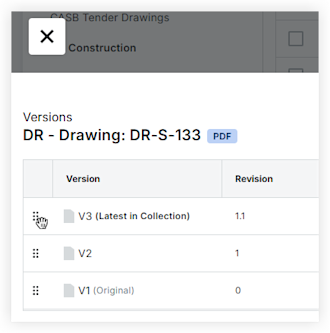
Background

Users can change which document shows as latest by reordering document versions, but Procore uses additional factors to decide which document is "latest" within a given context. Documents stored in the Document Management tool are often accessed via email links from the Workflows tool integration or links in correspondence items and emails. These contexts affect which document version is considered latest.

In addition, the Document Management tool uses collections to organize project documents. A collection’s filters provide needed context for a particular audience. For example, inside a Published collection, a field user sees only approved document versions, which means they aren’t necessarily seeing the latest version of each document. In contrast, a document reviewer uses the In Review collection to access in-progress document versions needing work or approvals before publication. In this way, Procore shows the field user version 3 of a document because it’s “latest” in the Published collection (as shown below), while the reviewer sees version 4 of the same document (via the In Review collection, not shown here), but they are both viewing the correct version for the job they are trying to do.

Answer

The Document Management tool is designed to present the latest document version based on the context in which a user found the document and which filters are applied. This table shows how different contexts affect what document version is presented and which warning banner appears when a user navigates to a different version outside of the one Procore considers default for that context.

上下文

Procore 视为最新的文档版本

上图中的示例

在此上下文中,用户离开最新版本时显示的横幅文本

通信项目电子邮件: 点击 Procore 通信电子邮件或项目中的链接

文档容器中的最新版本。

V5

"这不是你有权使用的最新版本。该版本不是你有权使用的最新版本。"

工作流电子邮件: 点击 Procore 电子邮件中有关审批工作流所需任务的链接。

"审核中"集合中的最新版本(工作流进行中的最新版本)。

V4

"不是审核中的最新版本。该版本不是基于您打开它的集合的最新版本。

"所有文档"保存的视图:从"保存的视图"面板底部的"所有文档"保存的视图访问文档,使用" "最新版本"按钮选中。

文档容器中的最新版本。

V5

"这不是你有权使用的最新版本。该版本不是你有权使用的最新版本。"

"已发布"集合:访问系统提供的"已发布"集合中的文档。

"已发布"集合中的最新版本(最新的"获批"版本)。

V3

“不是已发布内部的最新版本。该版本不是基于您打开它的集合的最新版本。

"审核中"集合:访问系统提供的"审核中"集合中的文档。

"审核中"集合中的最新版本(是工作流的最新版本)。

V4

"不是审核中的最新版本。该版本不是基于您打开它的集合的最新版本。

自定义集合:访问项目管理员创建的自定义集合中的文档,例如"施工前"。

集合上下文中的最新版本。

取决于集合/保存的视图筛选器

"不是 [集合名称] 中的最新版本。该版本不是基于您打开它的集合的最新版本。

移动设备:使用 iOS 或 Android 版 Procore 应用程序从移动设备访问文档。

请参阅上述行中的相关上下文,但以下情况除外: 移动应用程序没有“ 审核中”集合或“所有文档”保存视图。

视情况而定

请参阅上述上下文。

Examples of the two version warning banner types:

Note: Procore is in the process of changing 'Revision' to 'Version' in the banners.

User navigated away from the latest version in A document container:
2024 08 27 Not Latest In Document Container
User navigated away from the latest version in A collection's context:
2024 08 27 Published Collection Not Latest Revision Banner

See Also

Loading related articles...