Where and how does Procore store customer information?
Background
Procore stores customer information in two categories: File Data and Application Data. Each category is stored and secured differently. Your company's File Storage Location is set at the company level when the account is first provisioned.
Answer
Procore divides platform data into two categories: File Data and Application Data.
File Data
File Data includes documents, photos, drawings, specifications, models, and other file attachments. It is stored in your company's File Storage Location, so your team's files stay in the geographic region you select. Procore offers File Storage Locations in the US and in other countries and regions. Procore keeps real-time backups of File Data and replicates it across multiple data centers within the selected File Storage Location, using a designated cloud storage provider.
How to Find Your Company's File Storage Location
To check your company's current File Storage location:
Navigate to the Company Admin tool. This requires 'Admin' level permissions to the tool.
Under Company Settings, click General Settings.
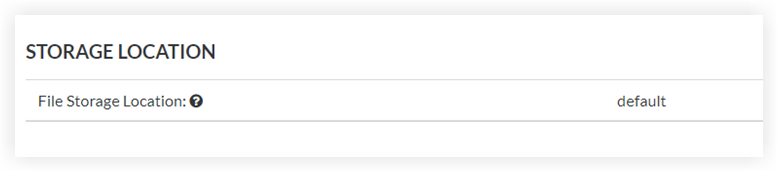
Under Storage Location, the File Storage Location. It shows the region where you File Data is stored.
Supported File Storage Locations
Procore currently supports the following File Storage Locations.
Changing your File Storage Location moves your file storage to a different geographic region. This affects data compliance, replication, and host infrastructure. To request a change, your company's Procore Administrator must submit the request to your Procore point of contact.
US File Storage Locations
Region | Code |
|---|---|
United States | us01 (default) |
United States | us02 |
Non-US File Storage Locations
Region | Code |
|---|---|
Australia | apse2 |
Bahrain | me01 |
Brazil | sa01 |
Canada | ca01 |
France | fr01 |
Germany | de01 |
Hong Kong | ape01 |
Ireland | ie01 |
Italy | it01 |
Korea | apne02 |
Singapore | apse01 |
South Africa | af01 |
Sweden | se01 |
United Kingdom | uk01 |
Application Data
Application Data is stored on Procore Application Zones, which provide application storage, processing, and the user experience. It includes anything written to Procore's data stores:
System-generated metadata, such as the creator of an item, timestamps, or logs
Anything entered by keyboard, such as information entered in the Directory tool
Anything entered into input fields through the Procore API or other import processes
For more information on Application Zones and File Storage Locations, see What are Procore Zones?
Benefits
Flexible data hosting. Host your File Data in the region you choose. Selecting a location close to your team can improve file download performance.
Data replication. Procore continuously replicates File Data across at least three data centers within your File Storage Location, using storage services from major cloud providers. This helps protect against disruption from natural disasters, power failures, and other outages.
Secure storage and controls. Procore uses encryption to help protect Application and File Data from unintended exposure. Access controls, change management workflows, and audit logging restrict and track who can view or modify files.
Questions
Direct additional questions to your Procore point of contact.