为什么我不能关闭文档管理工具的某些文档"类型"?
Regional availability
The Document Management tool is available in select countries. It is not yet available for Procore accounts in the U.S. To learn more, please reach out to your Procore point of contact.
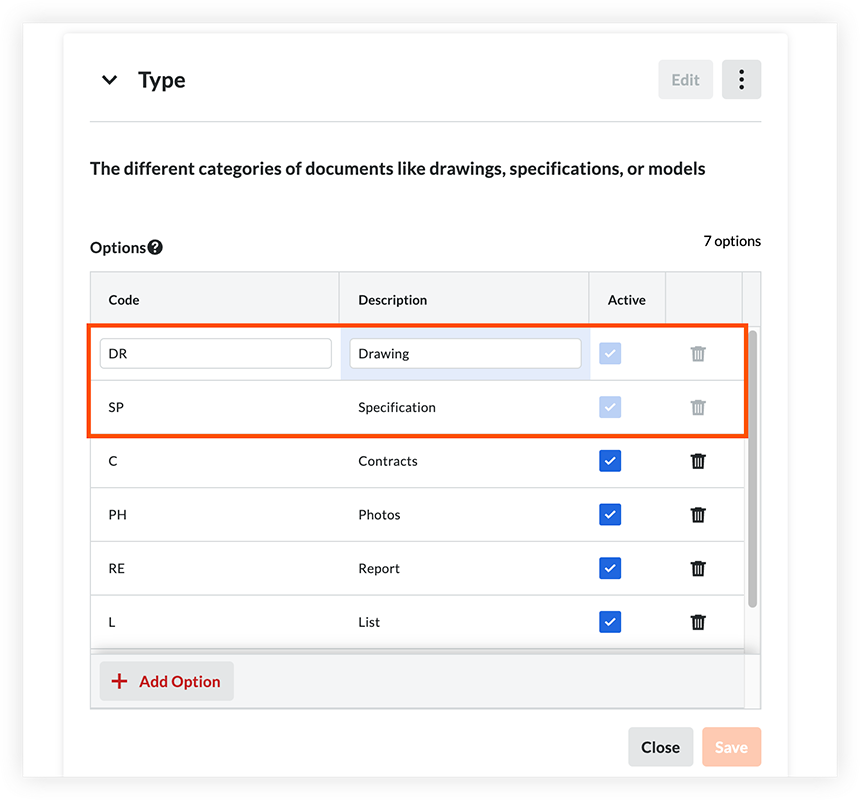
在文档管理工具的默认字段设置中管理"类型"时,你会看到"图纸"和"规范"类型可以重命名,但不能关闭或删除。有关详细信息,请参阅管理文档管理工具的自定义和默认字段及字段集。

"图纸"和"规范"类型是 Procore 默认字段选项,无法关闭或删除。这些选项保留用于图纸和规范,并且是 Procore 的机器学习识别和填充这些文档类型中的信息所必需的。
如果需要,你可以重命名"图纸"和"规范"的描述和编号,但它们仍应代表图纸和规范。例如,你可以将"图纸类型"字段选项重命名为"图纸渲染"。其他文档类型,如模型或照片,应该有自己单独的字段选项。要添加或管理字段选项,请参阅管理文档管理工具的自定义和默认字段及字段集。
Similarly, the system-provided 'Drawings' and 'Specifications' saved views in the Document Management tool can't be renamed or deleted. See Why can't I delete certain saved views in the Document Management tool? However, you can adjust these saved views by adding additional filters. See Edit a Saved View in the Document Management Tool.
Loading related articles...