Edit a Coordination Issue (iOS)
背景
如果在查看模型时发现问题,你可以选择创建协调问题,以便可以在项目的协调问题工具中跟踪问题。你可以根据需要编辑协调问题。
Things to Consider
Required User Permissions:
To edit any coordination issue, 'Admin' level permissions on the project's Coordination Issues tool.
To edit only coordination issues you have created, 'Standard' level permissions on the project's Coordination Issues tool.
Additional Information:
If you are working in offline mode, changes to the coordination issue will be uploaded when a network connection is reestablished.
The coordination issue will sync to the Coordination Issues tool and the Procore plugin in Navisworks®.
Steps
Navigate to the project's Coordination Issues tool using the Procore app on an iOS mobile device.
Tap the coordination issue you want to edit. To search or filter for a specific coordination issue, see Search for and Filter Coordination Issues (iOS).
Tap Edit .
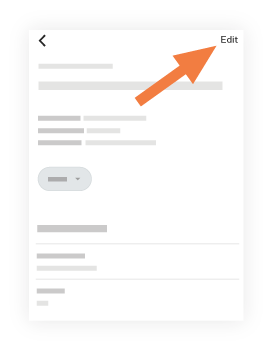
Tap into a field to edit any relevant information.
To learn about each field, see Create a Coordination Issue.Tap Done.
See Also
Loading related articles...