Reactivate a Contact in the Company Directory
背景
Procore 的一些项目工具为项目团队成员提供了创建"联系人"的功能。在 Procore 中,联系人是可能需要其姓名作为数据输入值的一部分但没有用户账户登录 Procore 的人员。
联系人示例包括工艺工人、临时工或季节性员工,或与任何项目团队无关的现场访客。有关 Procore 中联系人的其他信息,请参阅Procore 中的"联系人"是什么?哪些项目工具支持此概念?
Things to Consider
The 'Contacts' and 'Inactive Contacts' tabs are populated with contacts created from one or more projects on supported tools.
Reactivating a contact moves the inactivated contact's record to the 'Contacts' tabs in the Company level Directory tool and in any Project level Directory tool for projects the contact associated with on before being inactivated.
Steps
Navigate to the Company level Directory tool.
Navigate to the Inactive Contacts tab.
Mark the checkbox next to one or more inactive contacts you want to reactivate.
Click Bulk Actions and select Reactivate.
In the 'Reactivate Contacts' window, click Reactivate.
Note: Click the X next to a contact's name to remove them from the list of contacts to reactivate.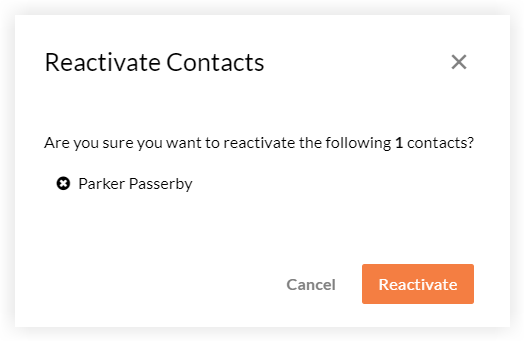
See Also
Loading related articles...